Screen-Space Reflections
November 19th, 2024
Mika and the Witch's Mountain
Motivation
In modern computer graphics, achieving realistic reflections is crucial for creating visually convincing water. However, in the context of more stylized o cartoonish games, this is not always the case. By the time of release, Mika and the Witch's Mountain had no reflections on any surface, but I always wondered whether water in particular would benefit from this effect or not. There was only one way to find out: Test it.
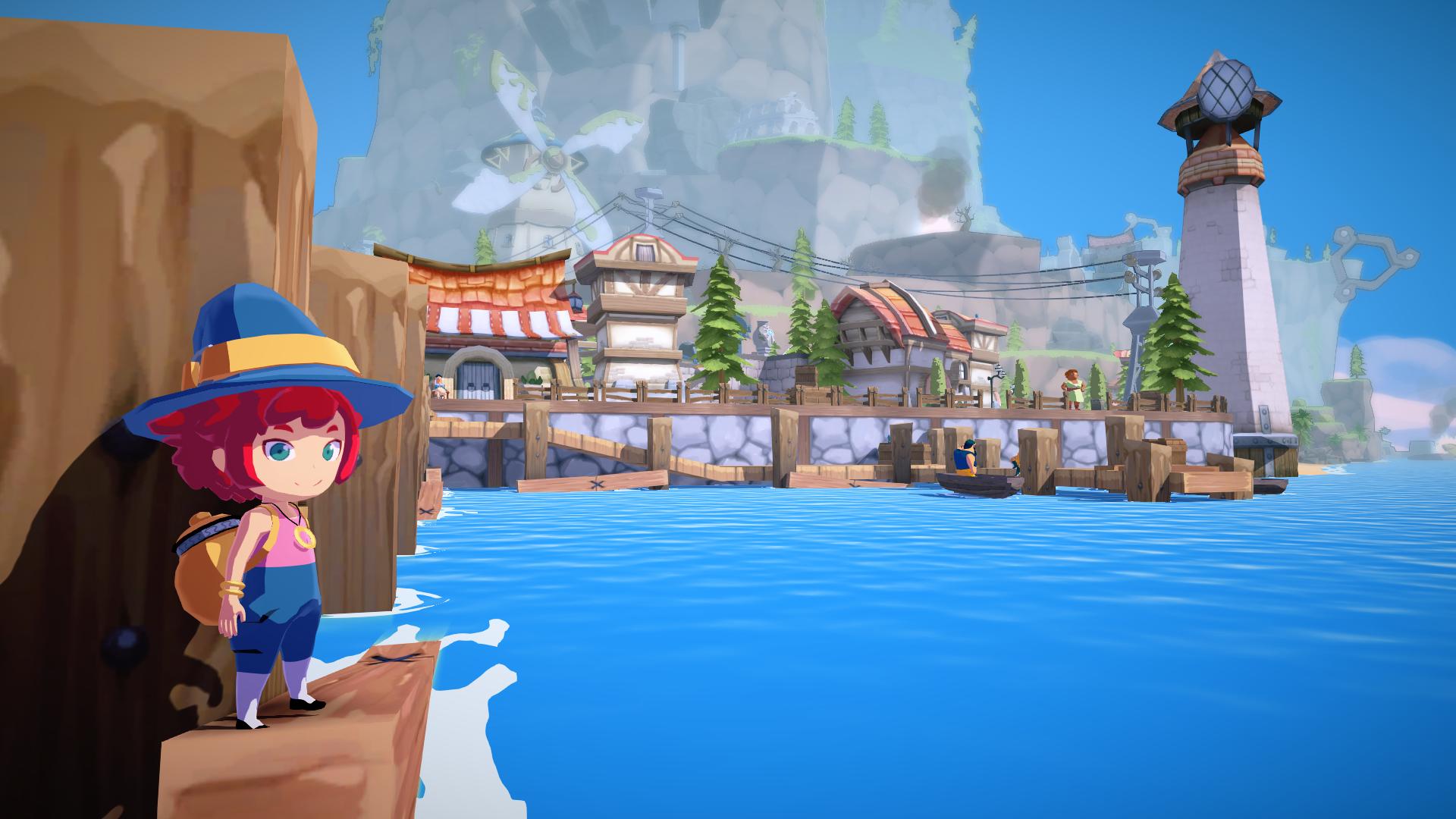
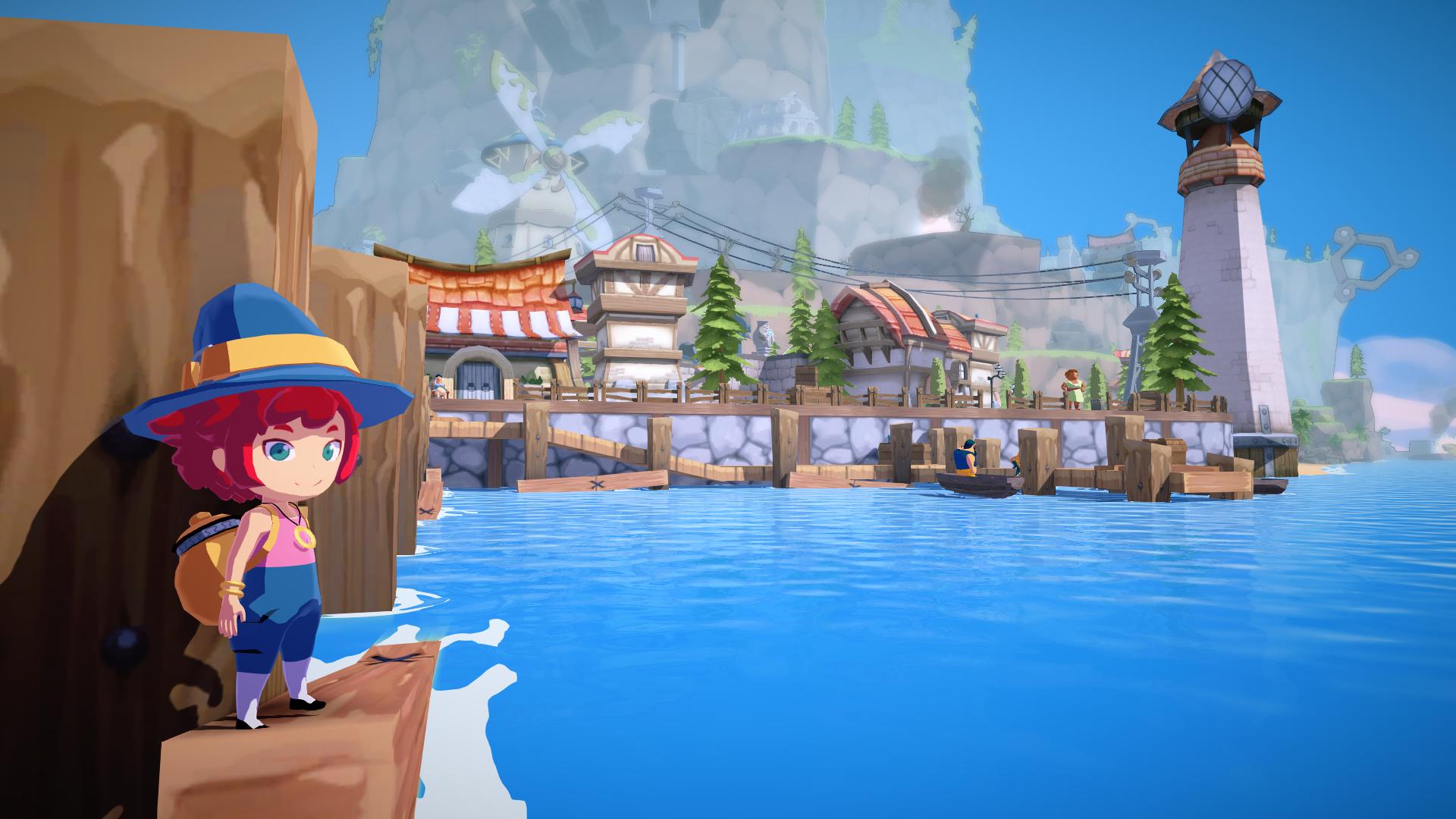
Up until this point, I had a lot of experience using reflection probes and had toyed a bit with ray tracing. Sadly, these techniques were not applicable for this game:
- Reflection probes: Require too much memory both on disk and during runtime if an entire world must be populated with them. Besides, dynamic objects can't be reflected (if baked);
- Ray-Traced reflections: A RTAS (Ray Tracing Acceleration Structure) must be constructed and nothing had been modeled or shaded with that in mind.
In the end, I decided to learn something new and implement Screen-Space Reflections. This technique was widely used during the PS4 era and is still very relevant today. It has many positive aspects:
- Does not consume additional memory if an opaque buffer is already available.
- Achieves high quality reflections at a very reasonable cost.
- Results are correctly aligned with the camera's perspective.
The technique has its downsides too:
- Anything outside the frustrum, and thus outside the screen space, can't be reflected.
- Any surface that is occluded can't be traced against.
- Can give a feeling of instability or pop-in in motion.
Implementation
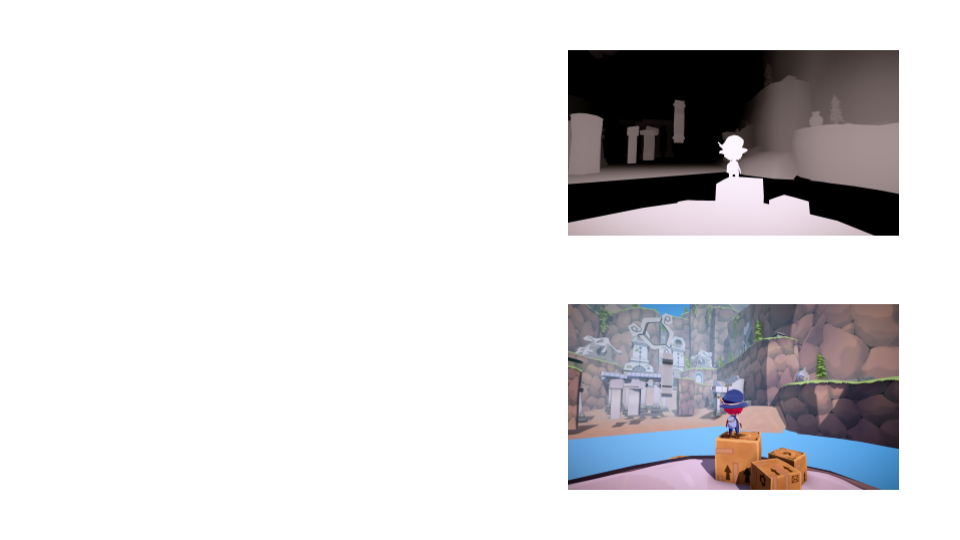
In Mika and the Witch's Mountain, Screen-space Reflections are rendered as a part of the water forward pass, using two pre-existing buffers:
- Depth Buffer: per-pixel depth information that'll be used to determine ray collisions.
- Opaque Buffer: a texture copy that contains the scene color of all opaque surfaces.
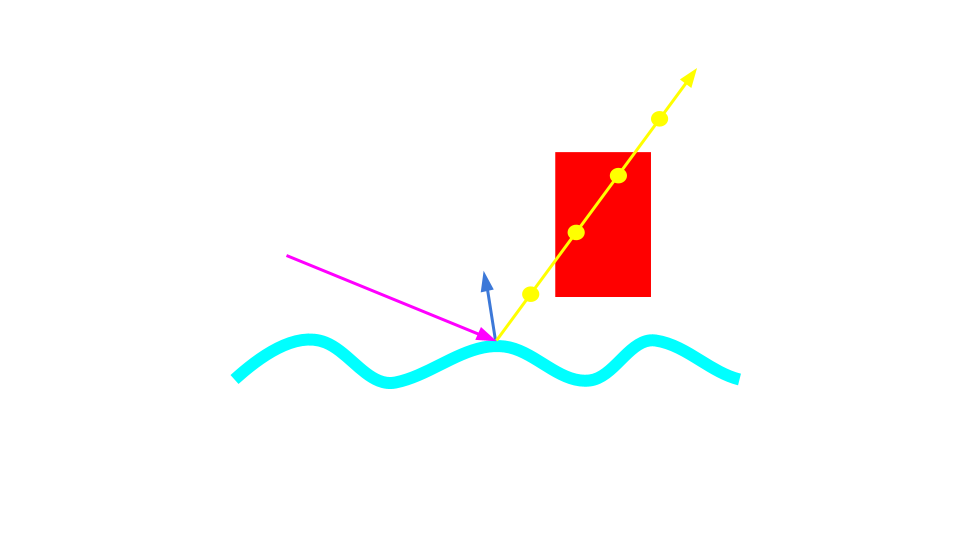
Firstly, a reflection vector is calculated given the water normal and the direction from the camera to the water position in world space. What if we could just raycast against the geometry and get the color of the scene where the ray hits a surface? Well, we can't do that because we're not using ray tracing. Instead, we can raymarch in screen-space until the ray depth is further from the camera than the depth retrieved from the depth buffer at that point.
Raymarching implies that we need to execute a loop and check a different ray position in each iteration, which in turn means sampling the depth buffer each time. The ray origin will be the water pixel position, and given a maximum reflection distance in world space the ray destiny is calculated. Both of these positions are transformed into clip space and the ray destiny is clipped so that it doesn't extend beyond the screen, as that would be a waste of resources.
Getting a good result with this basic approach would require using a lot of samples per pixel (spp). This could easily eat a great chunk of the GPU budget if left as is. Instead, let's try using a very low spp count for a demonstration (6spp):
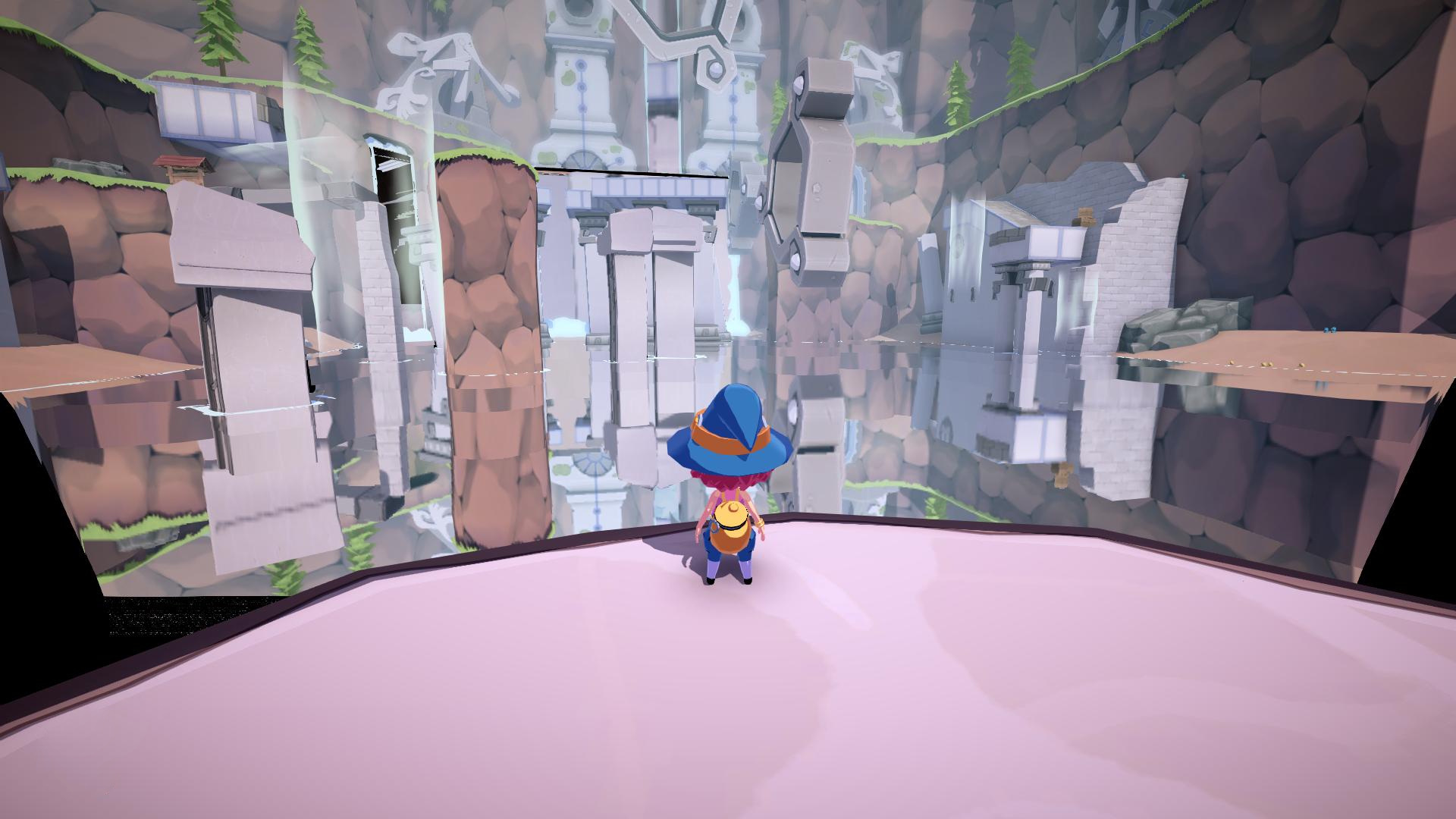
Can you spot the issue? There is very visible banding, which is even worse in motion. This is an aliasing problem as the low amount of samples is unable to properly capture the irregularity of the world geometry. There are two approaches I used to fix this: Dithering and interpolation.
Dithering can be used to displace the first ray sample in the ray direction. The dither value affects the loop so that all samples are displaced a fraction of the distance between two iterations.
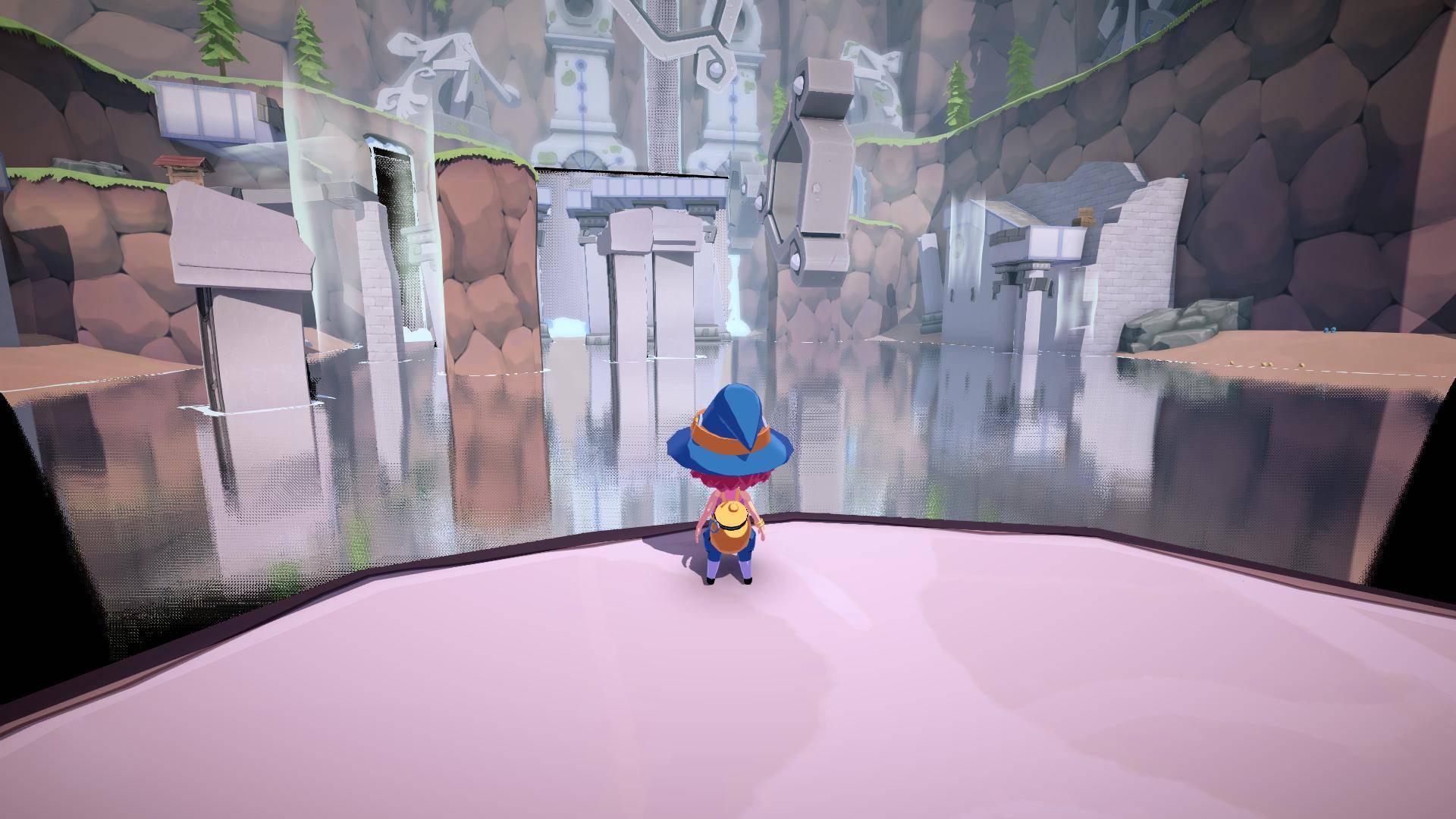
That cleared banding to a great extent, but sacrificed clarity entirely at the same time. This is where interpolation comes in. When the ray collides against geometry during an iteration, we don't have the exact collision point, just the first ray position that is inside the geometry. If we assume that the actual intersection lies somewhere between the last ray position and the current one, we can use interpolation to estimate that point:
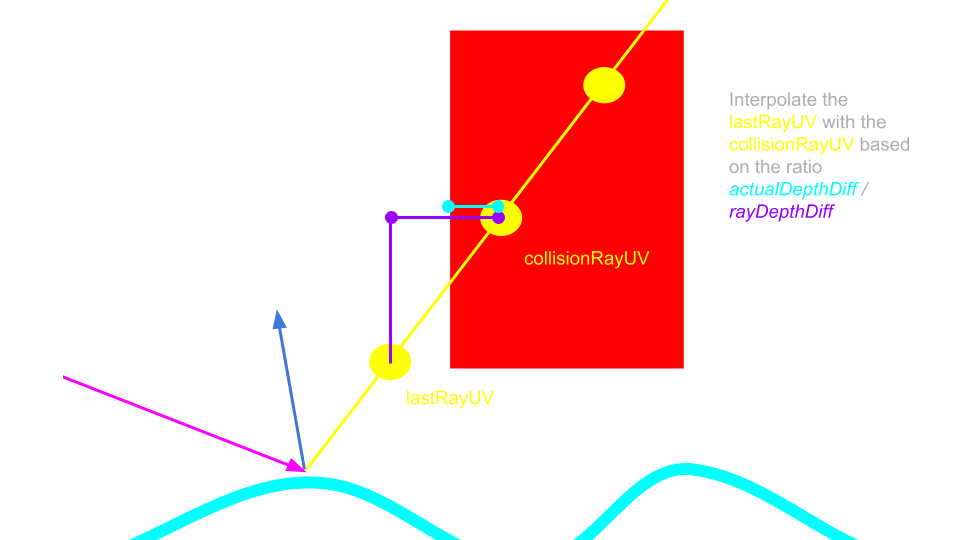
Of course, this is just an estimation and won't accurately represent highly irregular shapes. However, the geometry in this game isn't that complex and this solution works well enough:
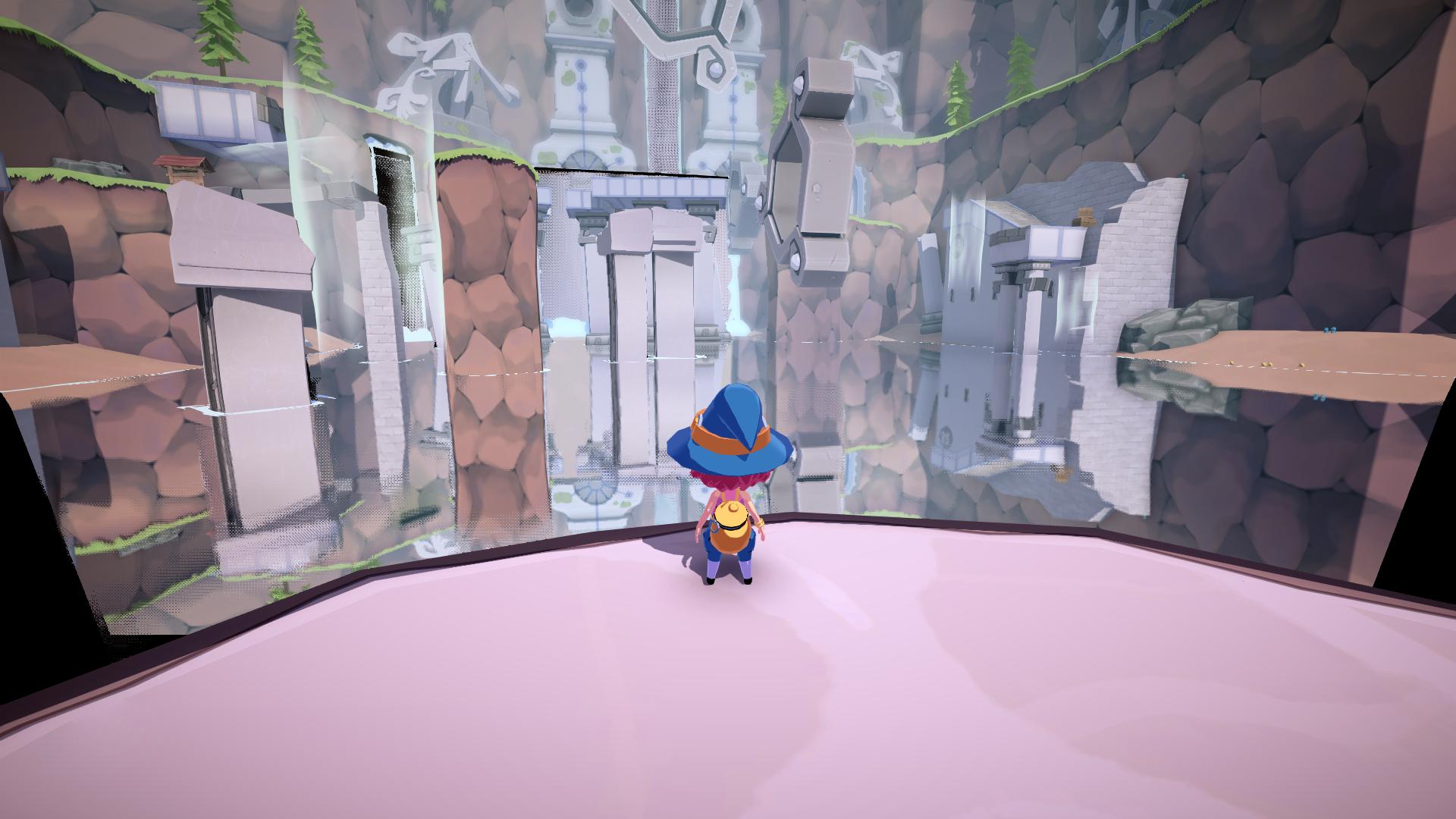
As you can see, noise is present around the silhouette of objects because that geometry is being skipped on some pixels and the interpolation estimation can't solve that issue. Dithering mitigates it but only increasing the sample count actually solves this issue. Before we do that, you may have noticed that the calculated reflections look like a mirror. Let's render this again using the distorted normals from the water shader:
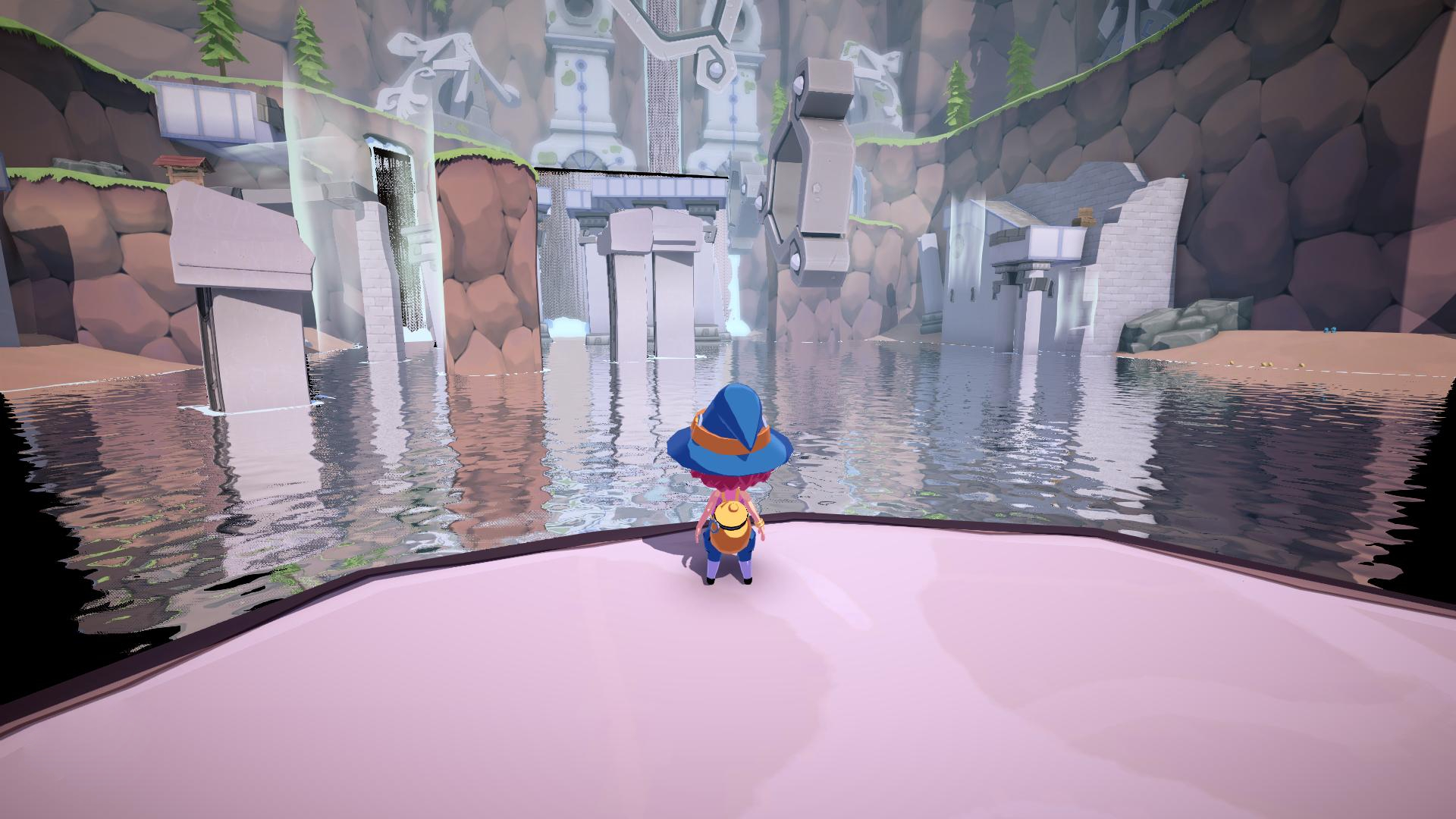
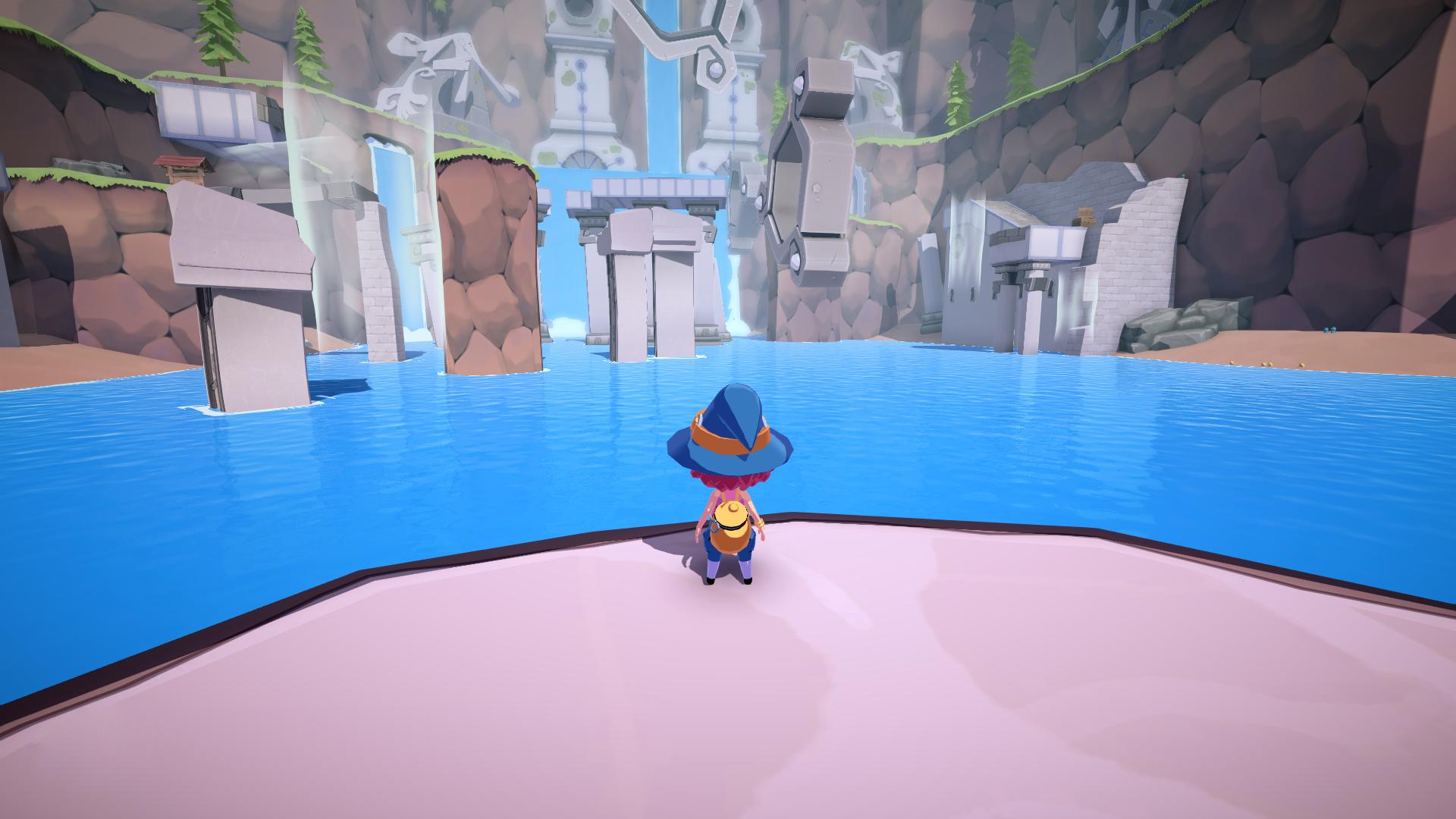
Noise is now mitigated even more thanks to the irregularity of the reflection. However, it doesn't eliminate it completely, and thus in the final game a slightly higher spp count is used to ensure a noise-free look. Regardless, I think this is a very good result for just 6 texture samples, and could be viable for weaker hardware. This is the final result once the reflections are blended with the water color and a screen edge fade is applied:
Results
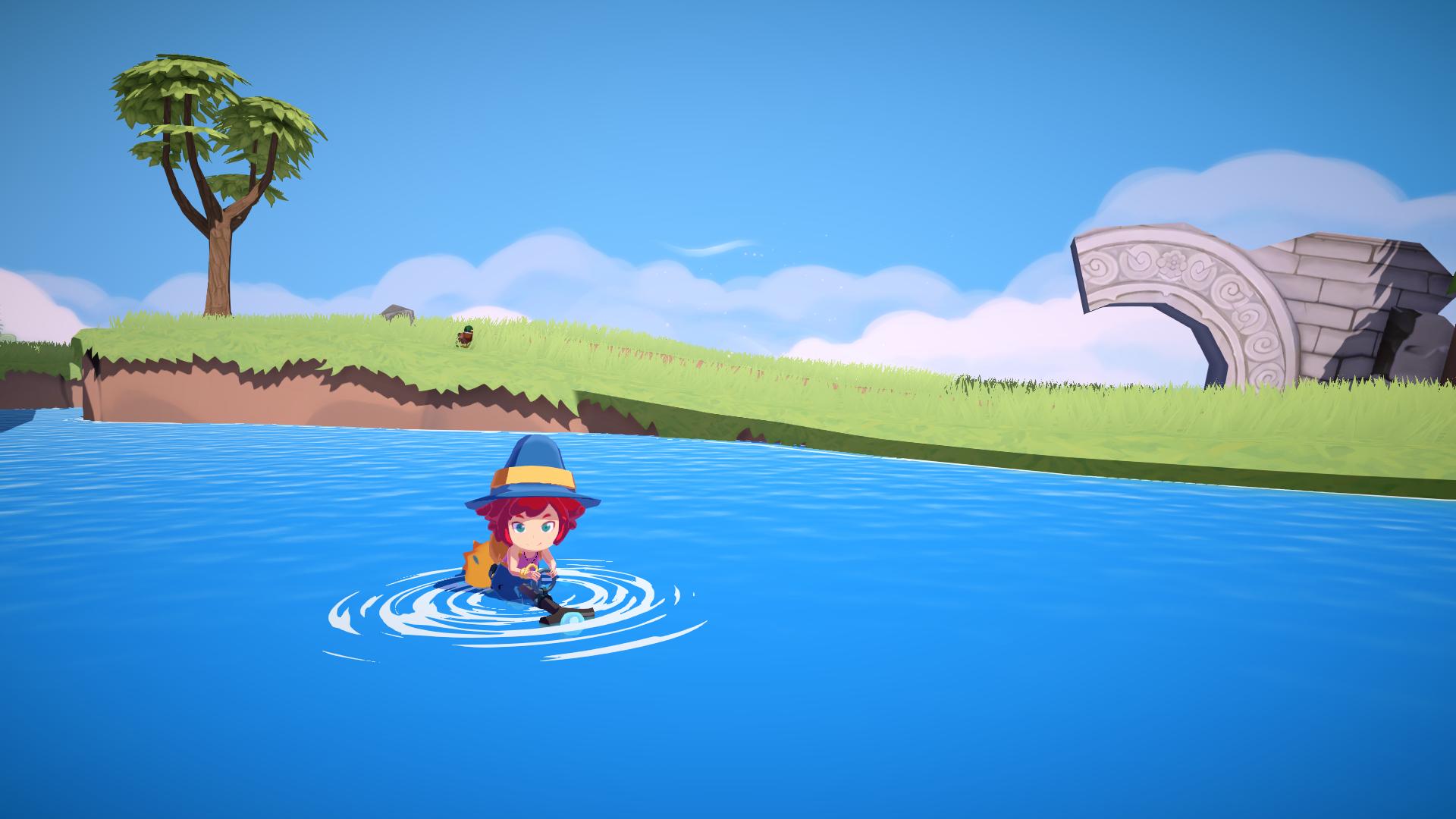
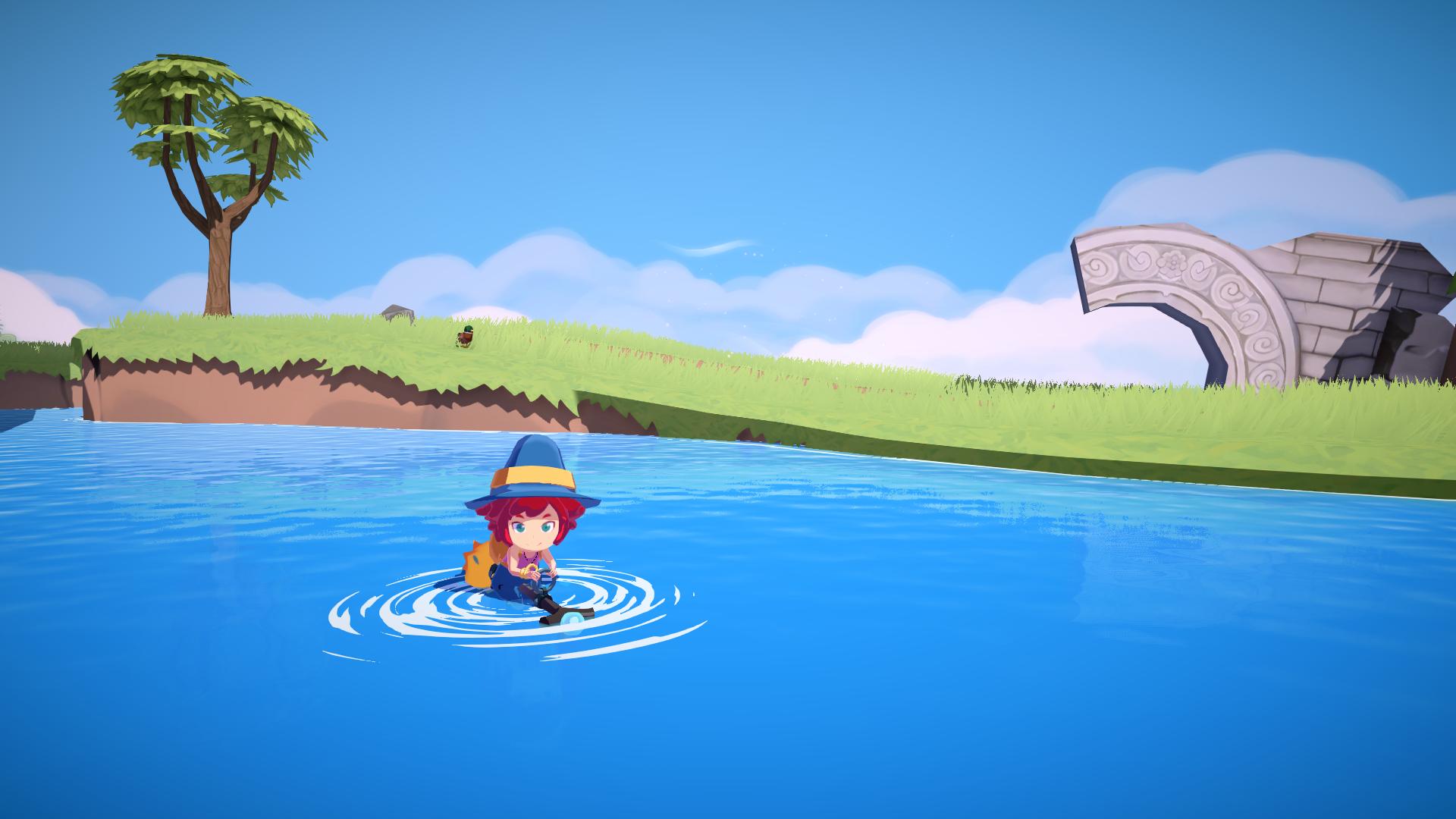
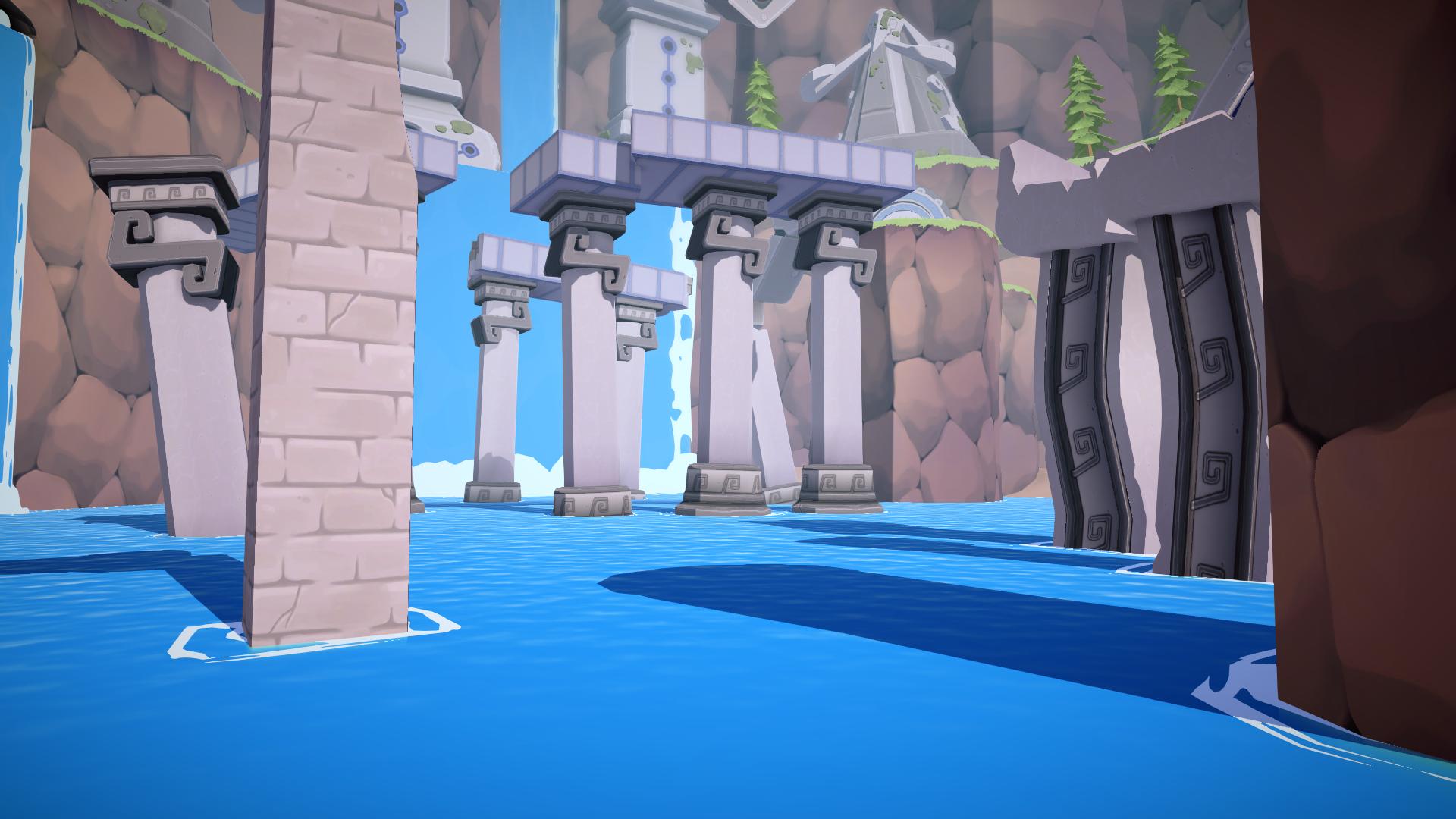
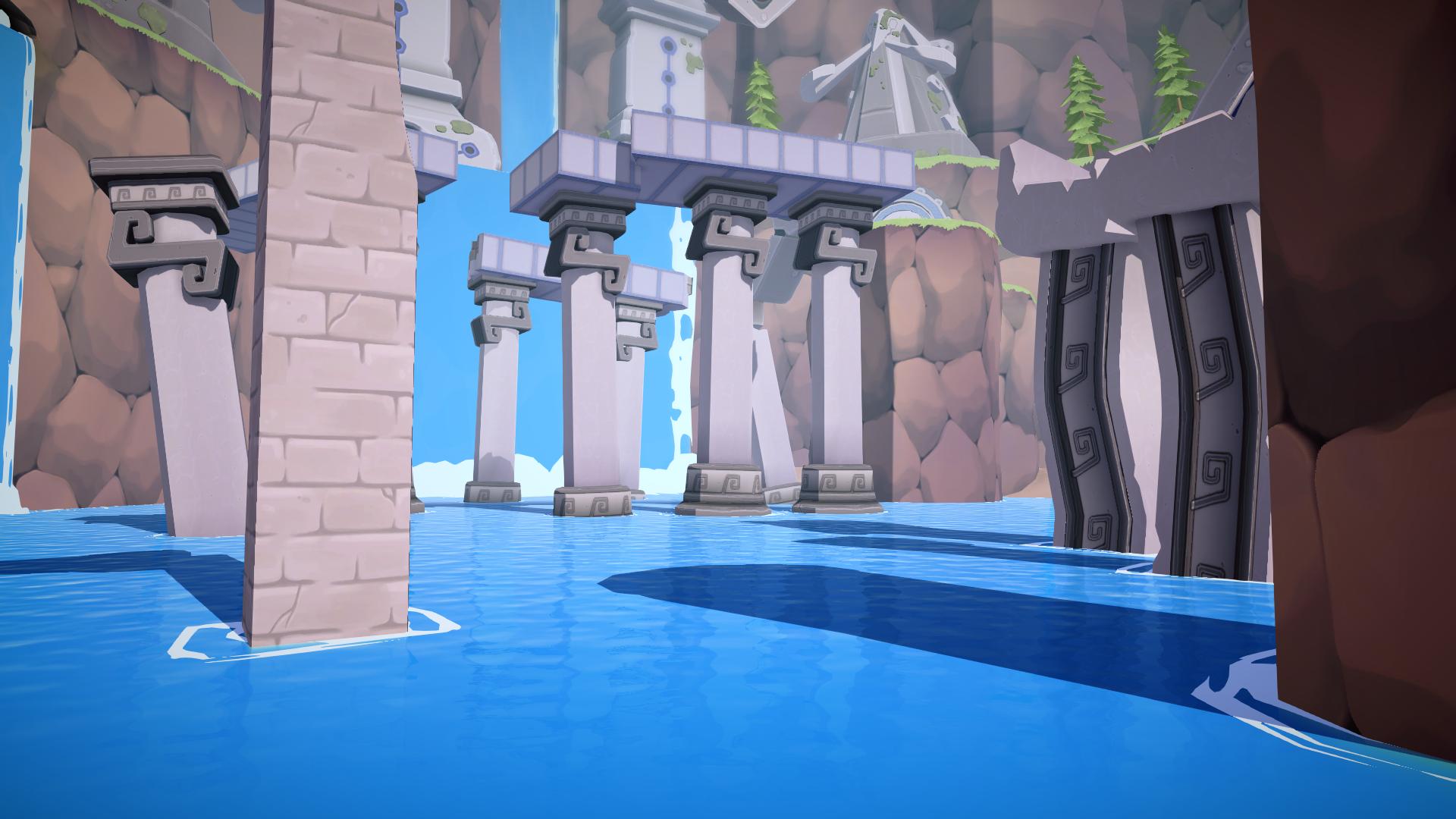
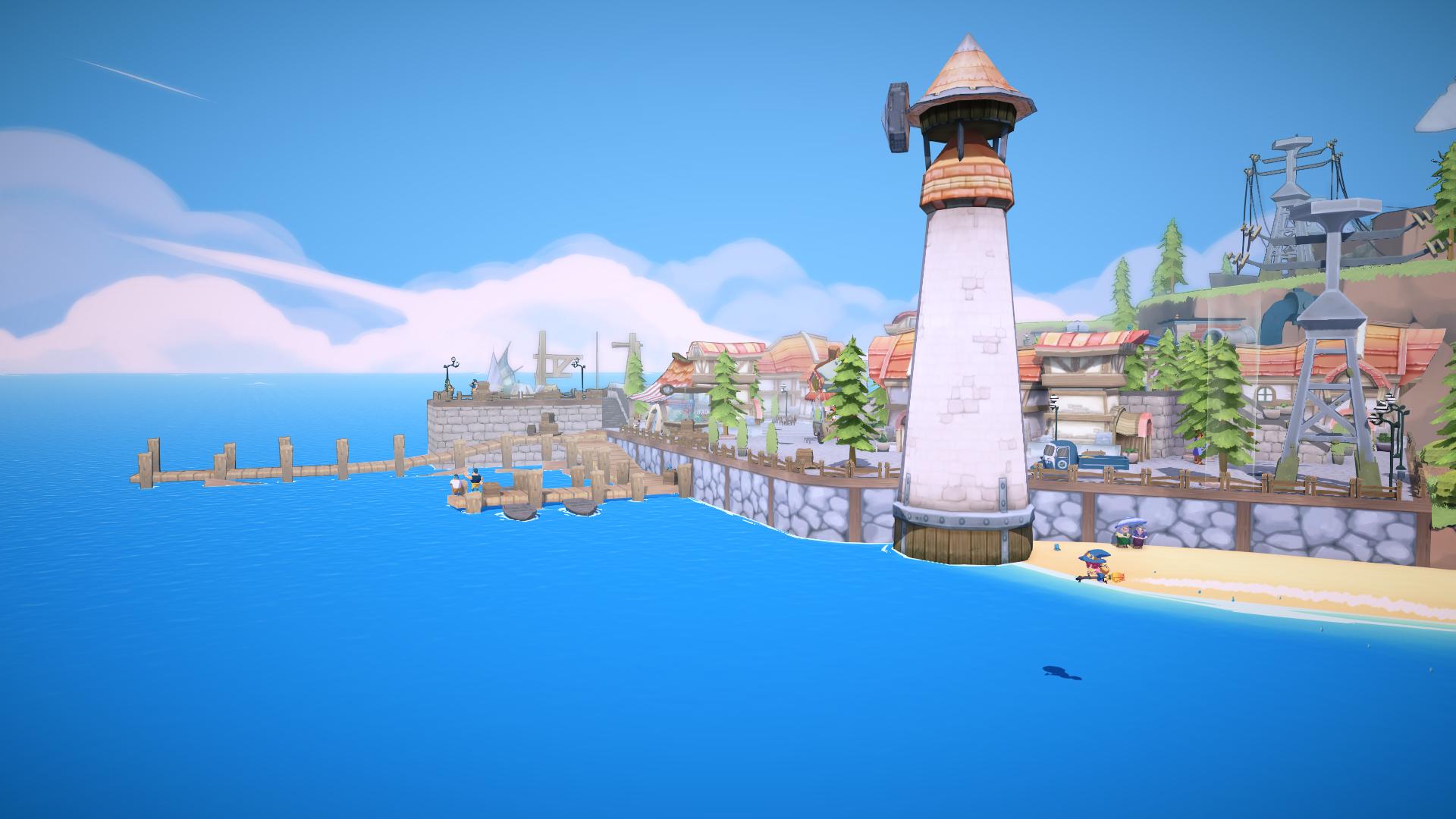
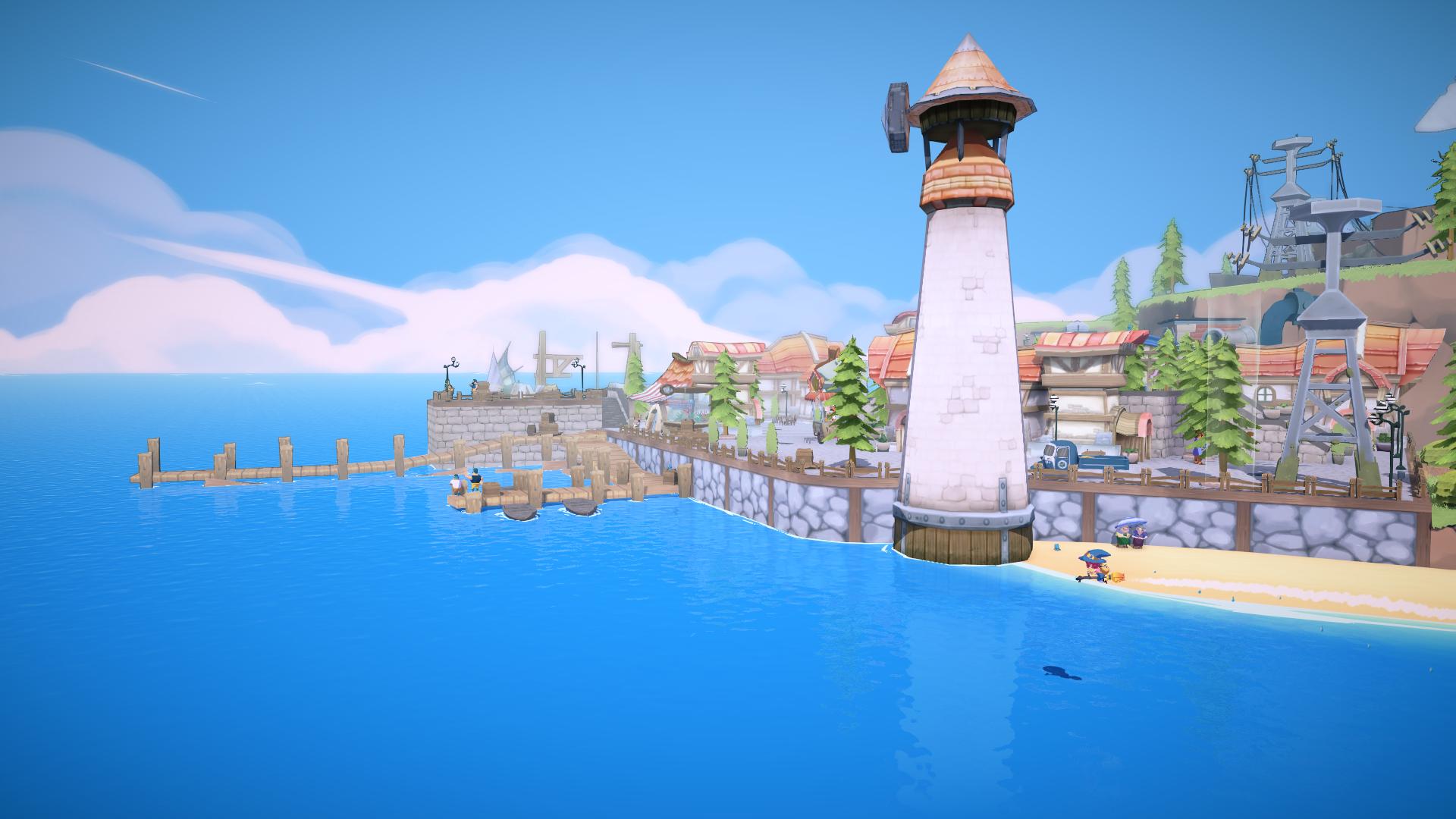
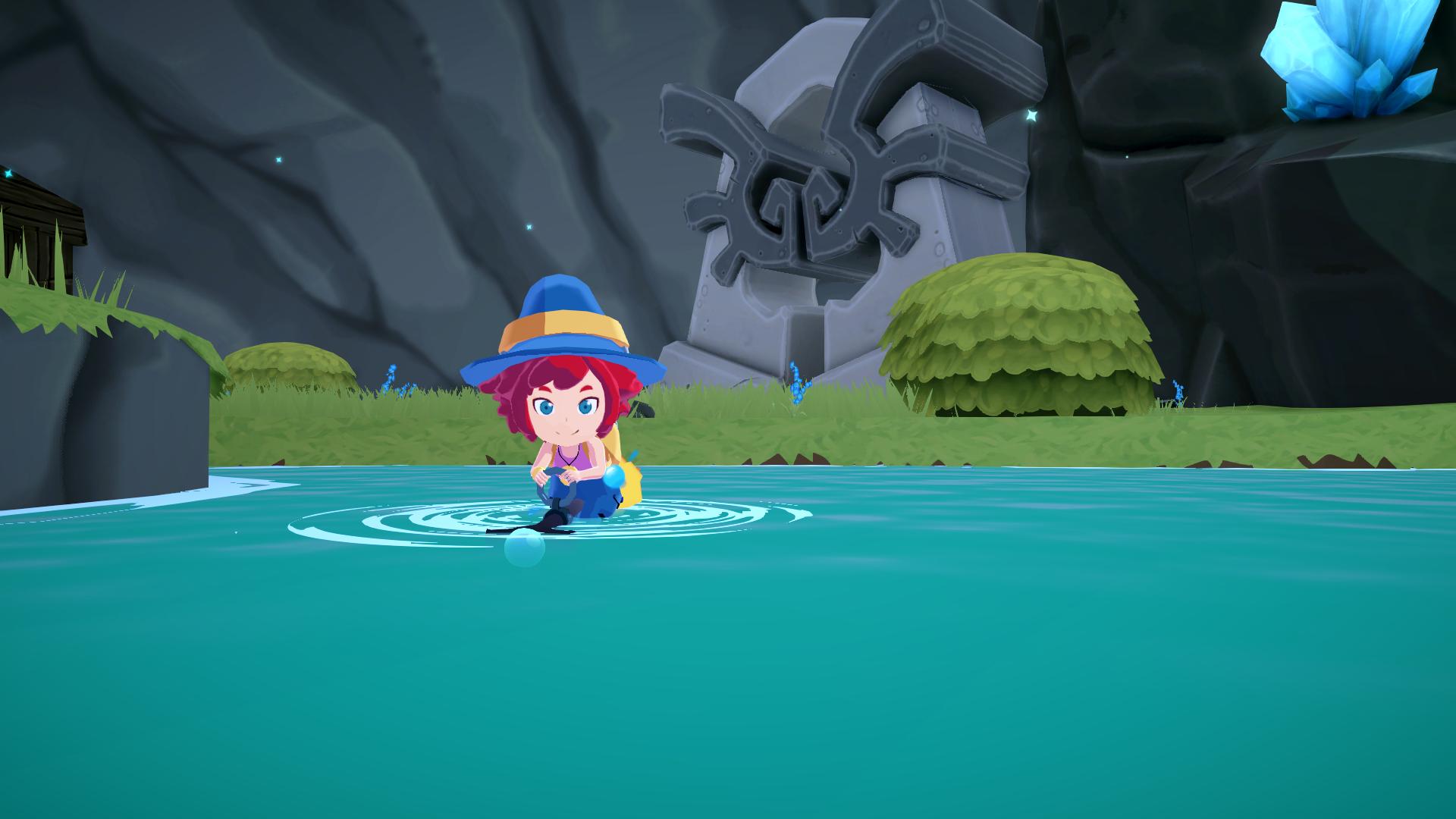
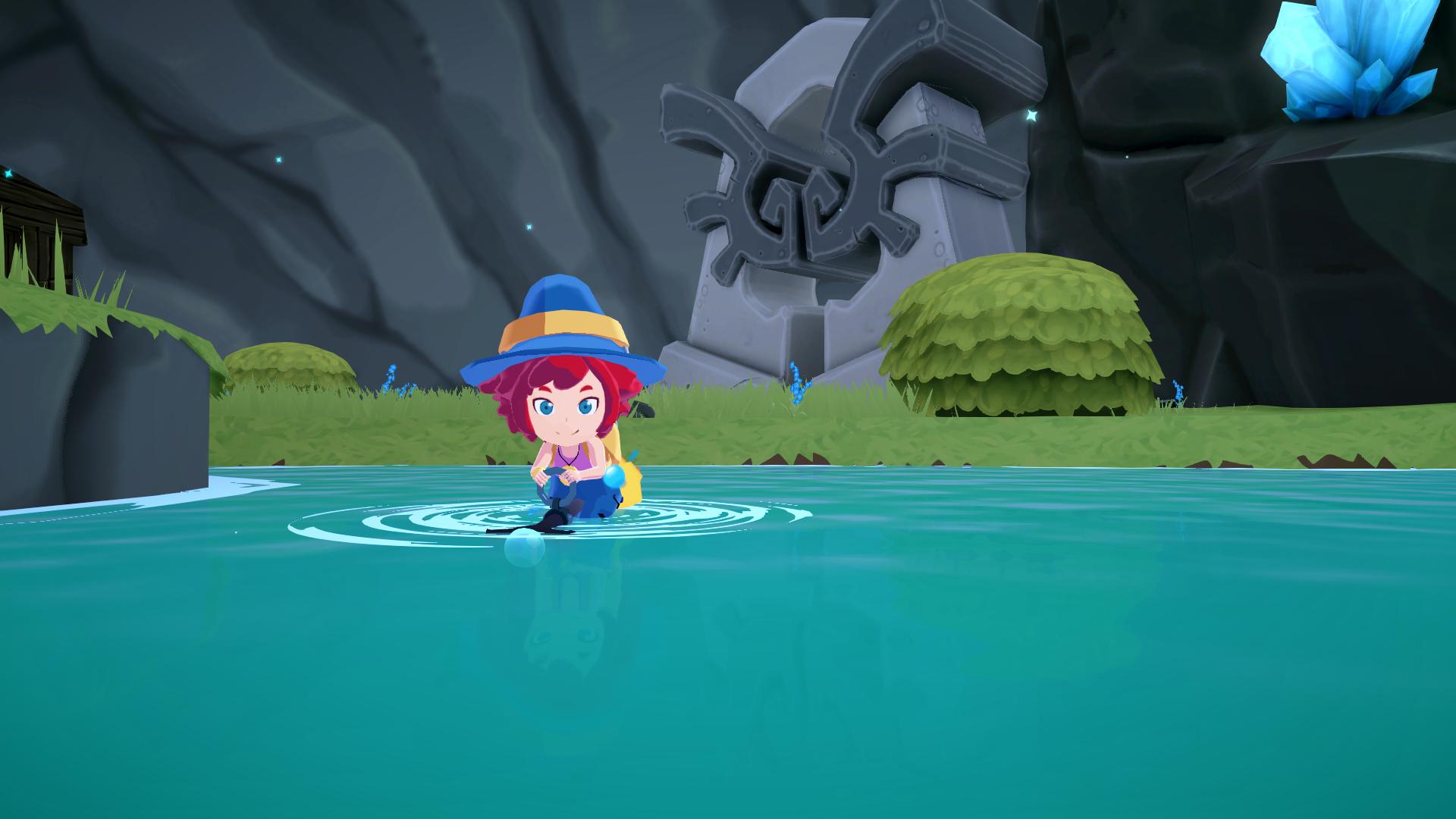
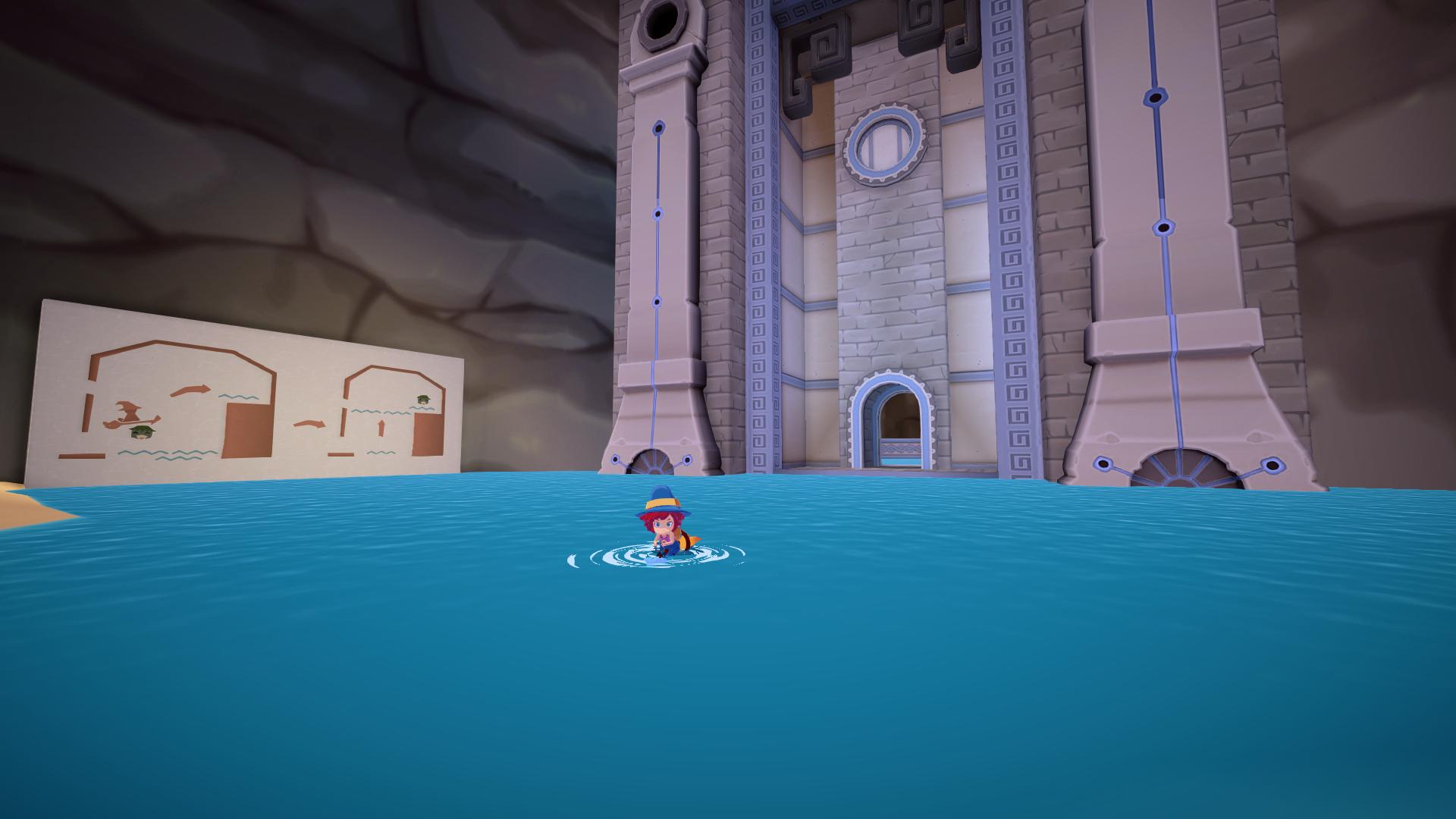
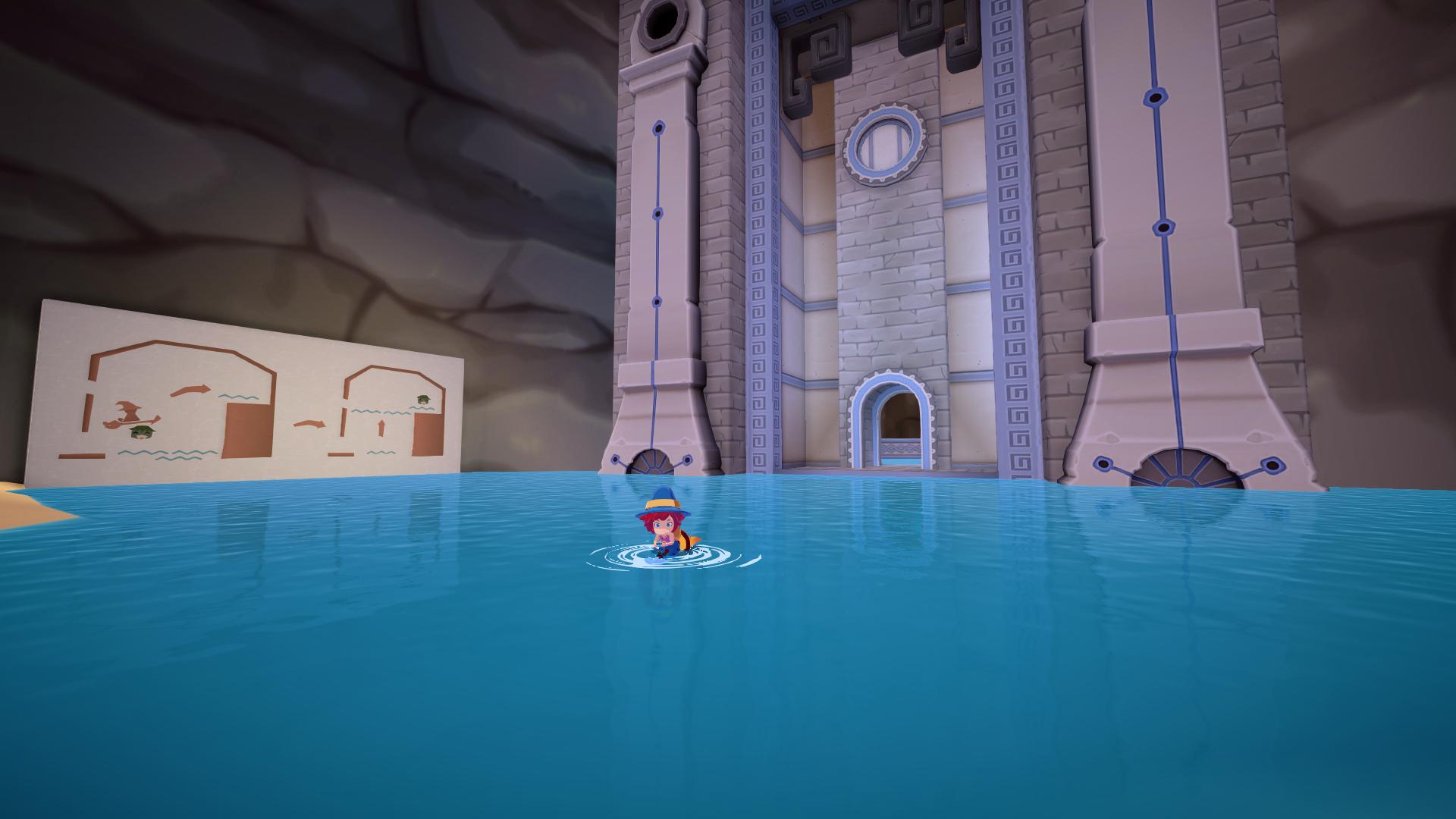
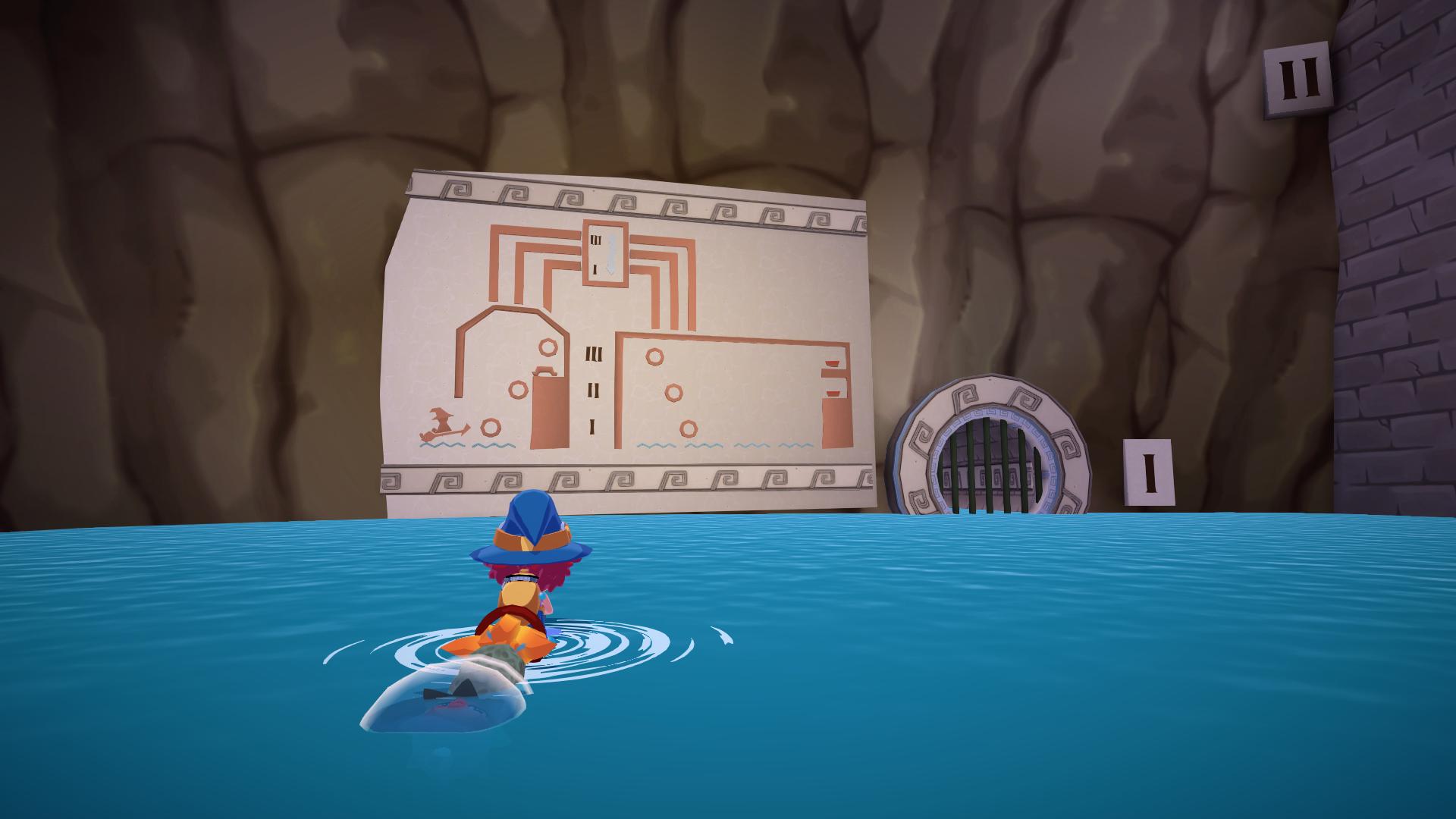
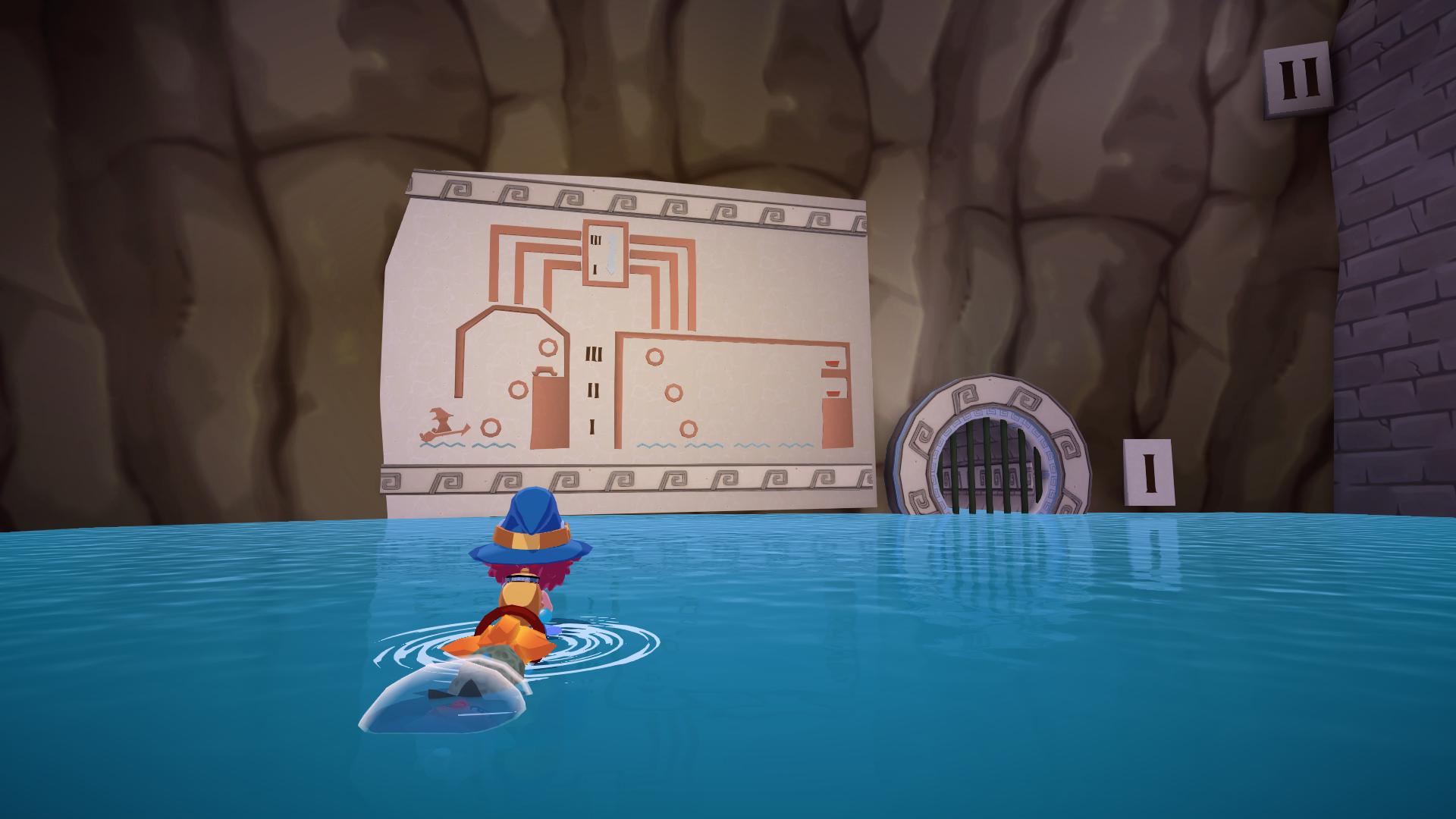
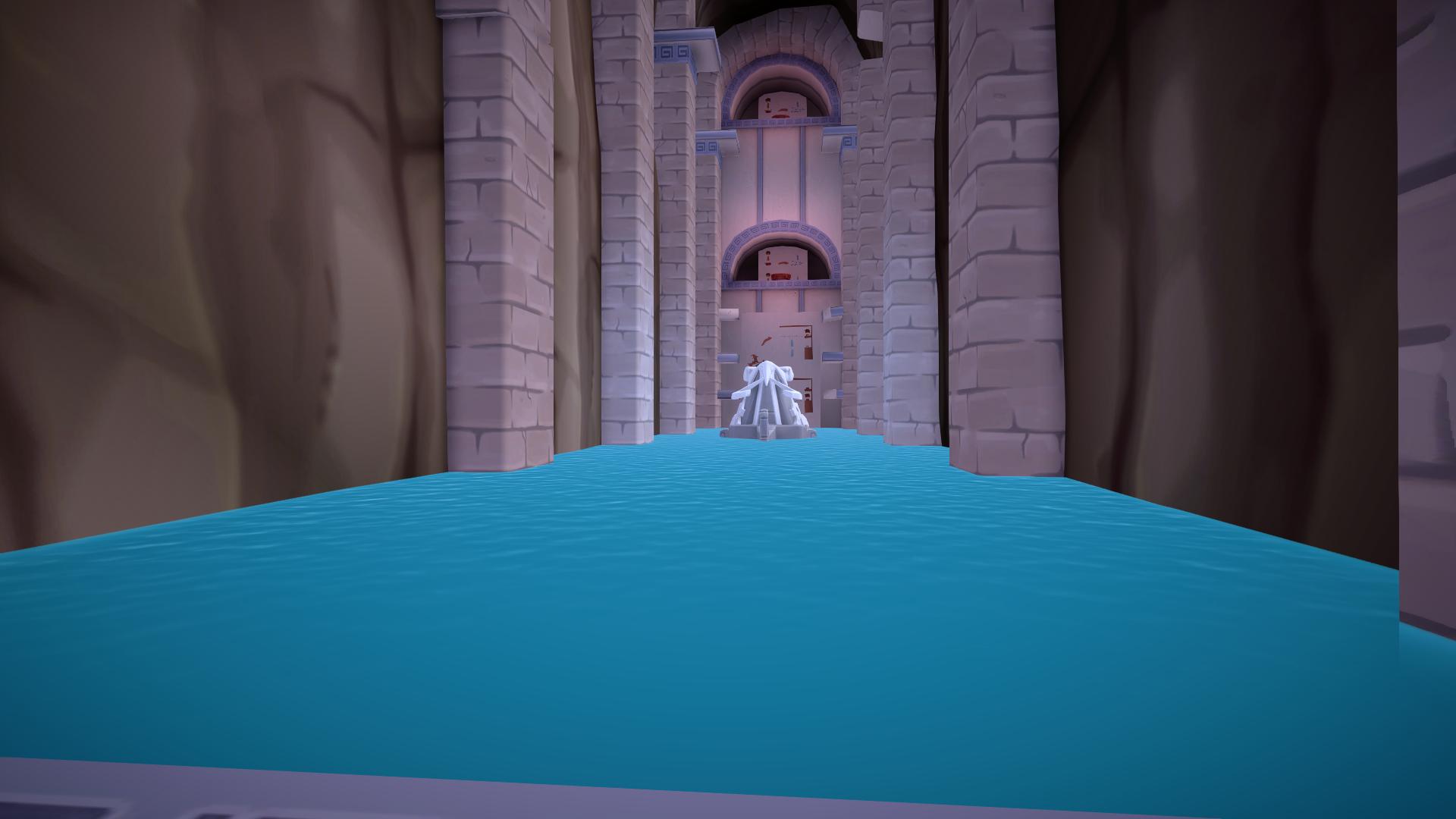
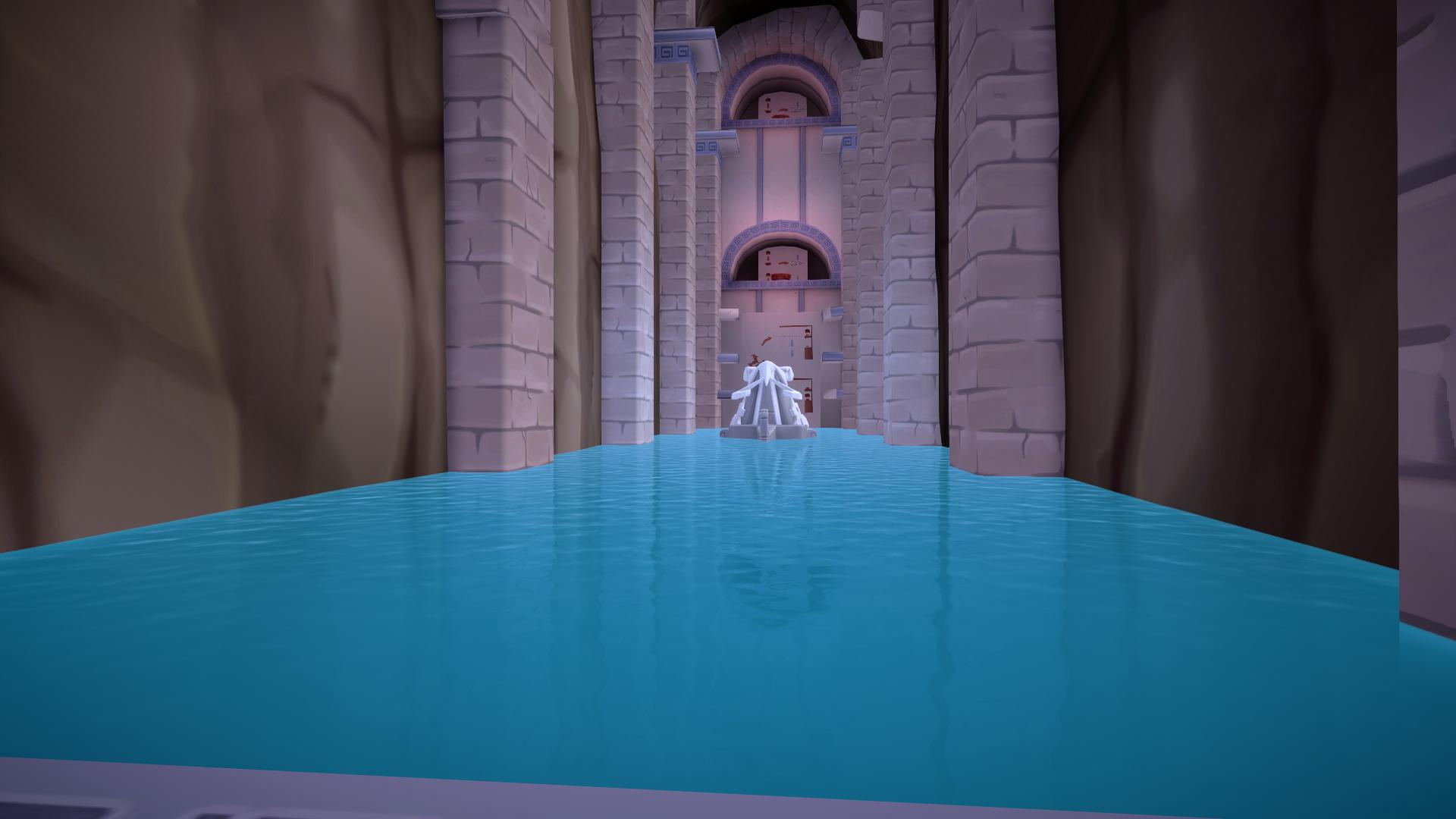
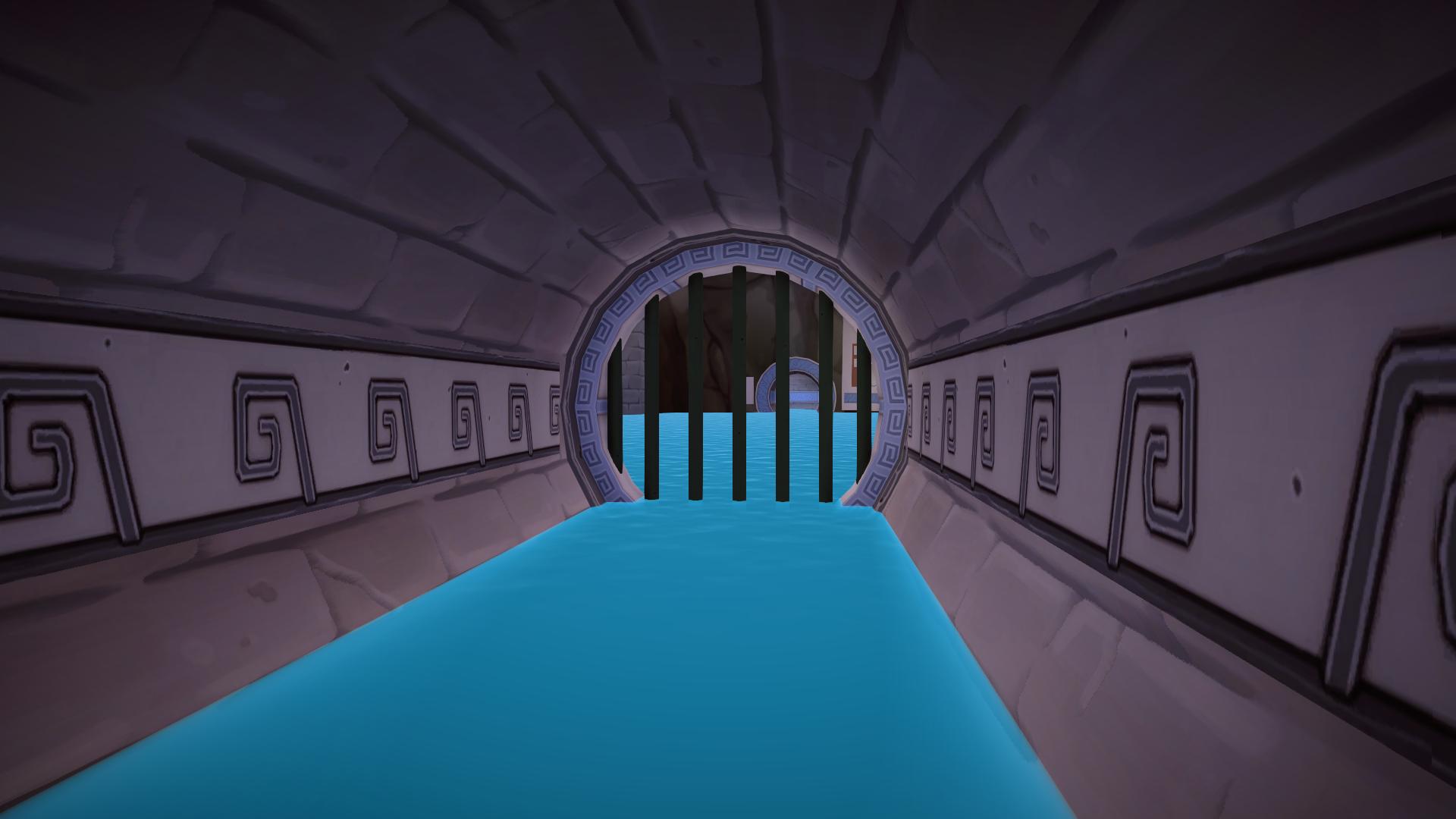
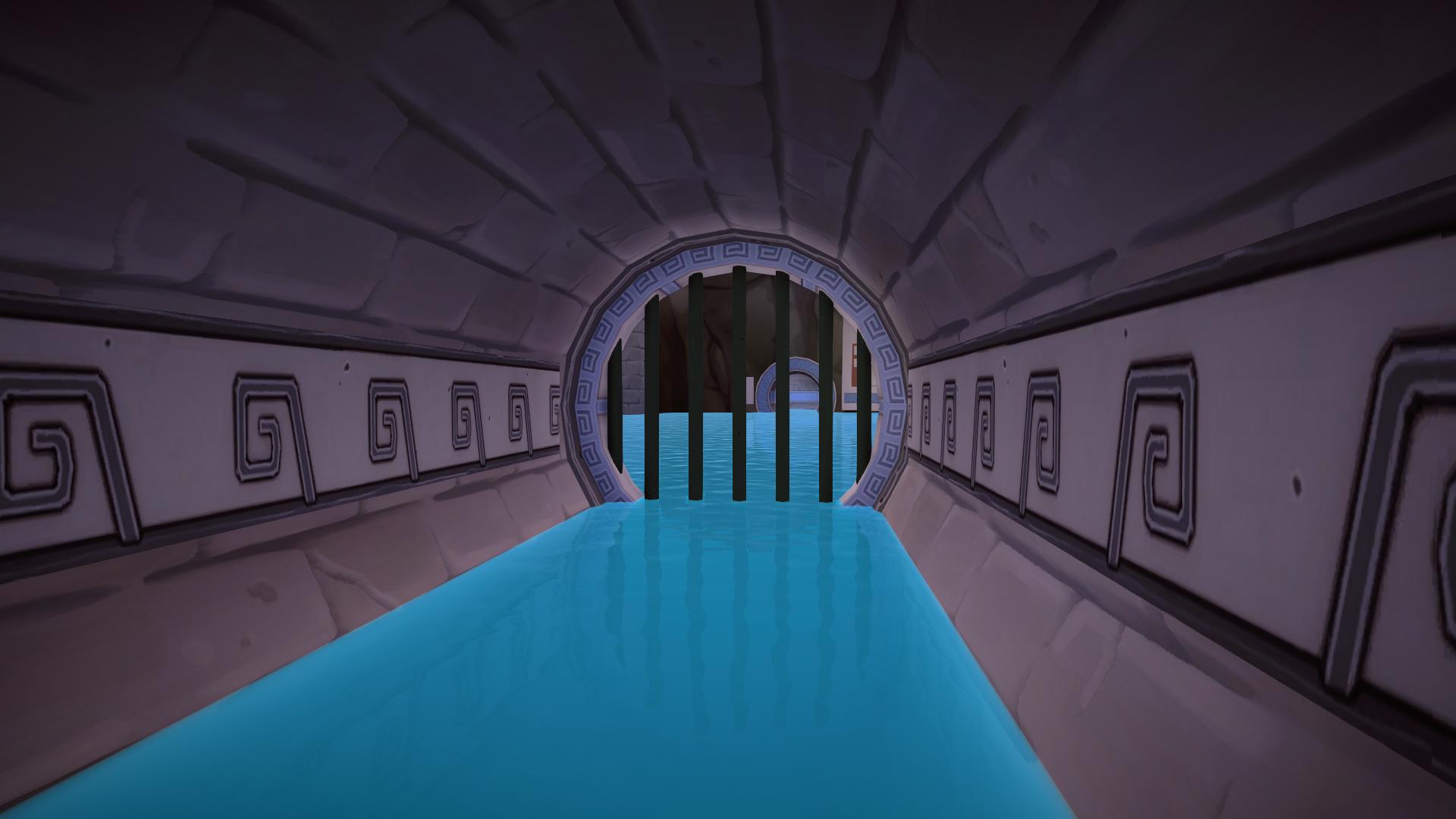
Conclusion
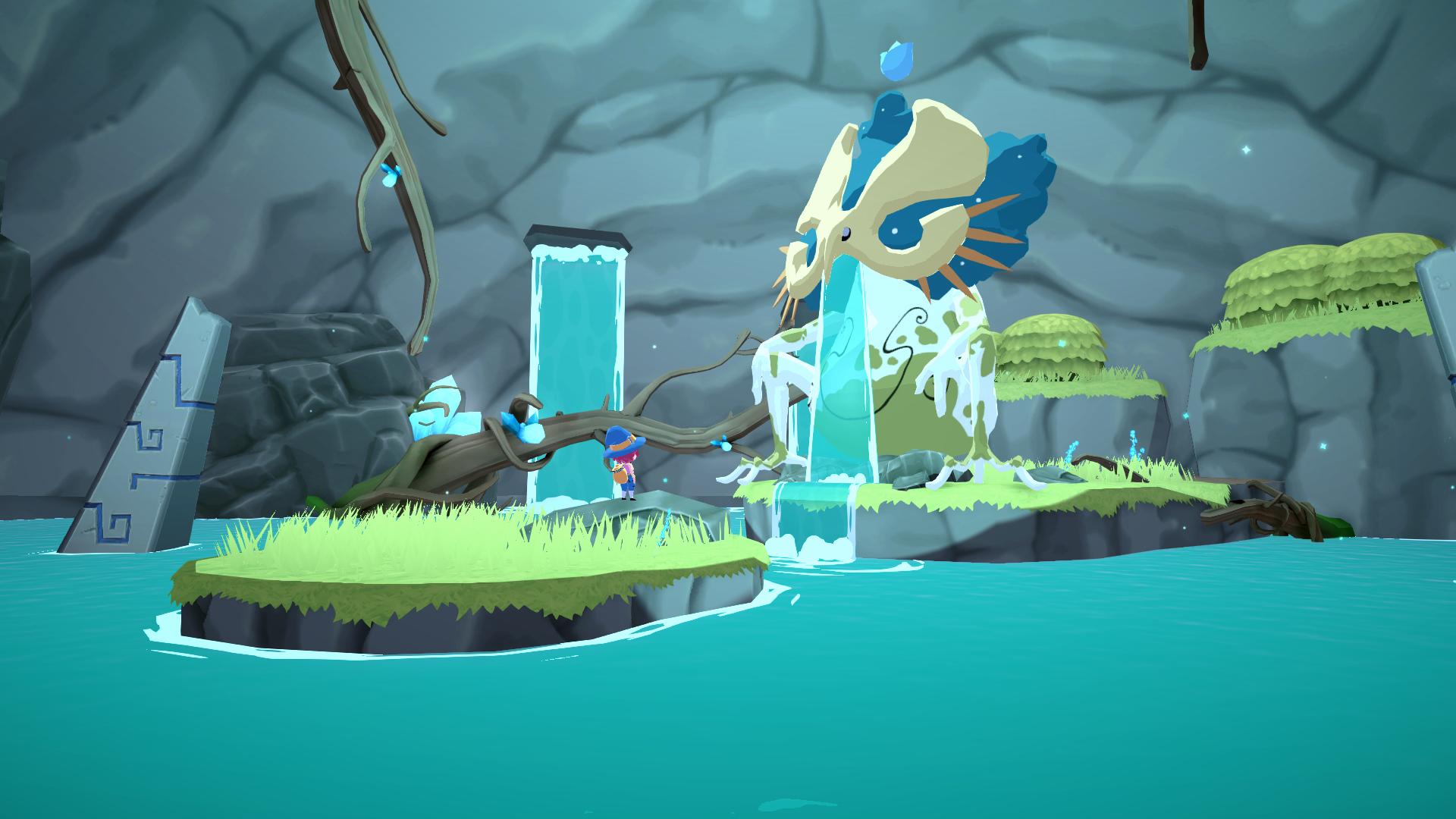
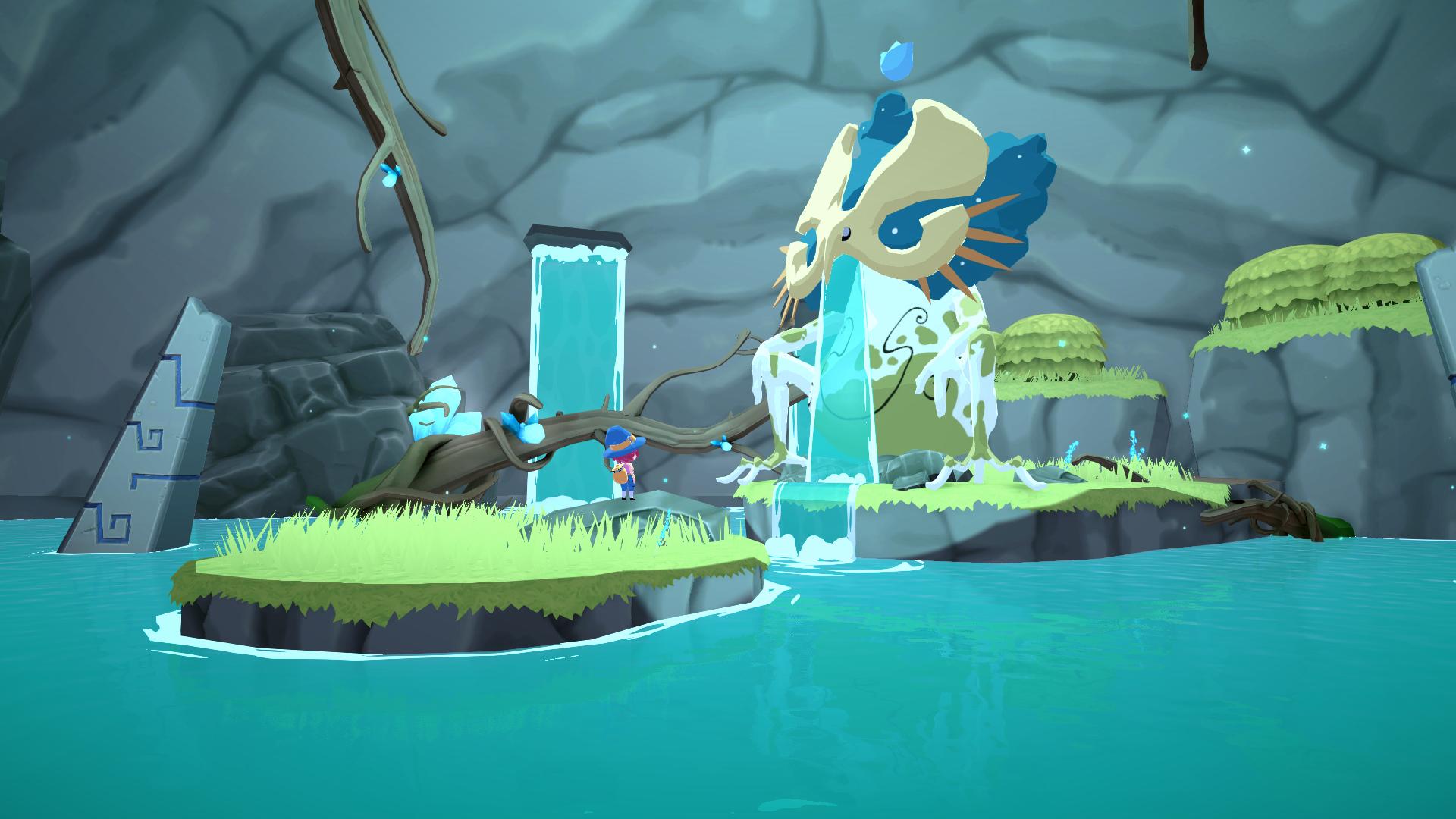
The team was very satisfied with the results and SSR made it into the final game. Personally, I think it fits the game's world and helps elevate the visual fidelity to new grounds. This project's biggest source of inspiration is The Legend of Zelda: The Wind Waker, that's no secret. In that game, water had no reflections but this didn't have to define how our game had to look like. This inclusion helps the world of Mika depart from its main artistic reference and create its own visual identity.
Going forward
Because of how late into development this was pitched, it was too late to use more sophisticated approaches such as:
- Downscaling and denoising: If the SSR output could've been calculated as a separate render pass and applied later to water, it would've been possible to use denoising and upscaling passes to reduce noise without increasing the sample count.
- Temporal anti-aliasing: if the game supported TAA, it could've been possible to use a different noise pattern each frame to converge over time the ray's collision point. This would have the same effect as increasing the sample count but without that additional cost (at the expense of possibly introducing instability in motion);
- Reflection Probe fallback: When SSR fails there's no alternative source for reflections. This makes bodies of water look very different depending on the viewer's perspective. Maybe using a single real-time reflection probe that follows the camera could suffice as a good fallback, but because of performance reasons it's just not viable, at least in this project.
- Ray Tracing: Given that the intended look are perfect reflections without any roughness, this game makes a great case for ray-traced reflections. Maybe I will explore this solution in future projects with similar shading styles, as it should yield the best results, at least in theory.