Sparse Voxel Diffuse Global Illumination
July 13th, 2025
Unreleased Project
Motivation
One of the most complex aspects of realtime rendering is Global Illumination. So much that many games today still purely rely on direct lighting and some sort of flat ambient lighting. The problem to solve is: How much light bounces off the environment and ends up reaching a given point in space? We need an answer to that question for every pixel in the screen, which becomes hard to run at interactable framerates.
While I discussed approaches with my team, and they explained their needs, I realized something: They want a realtime solution (no baking), but mostly for development purposes. They want to immediately see changes in the scene to know how objects will look in the game without pressing a bake button every few minutes. Not only that, we need a GI solution that runs very fast to support low-end hardware.
So, what if we could bake GI in realtime while working? This led me to a technique called Sparse Voxel Global Illumination (SVOGI). A 3D grid of voxels covers the scene, we must store GI for each voxel and sample interpolated voxel values for every pixel. It is a baked solution from the player's perspective, but can be computed in realtime while using the editor by just updating a small amount of voxels every frame.
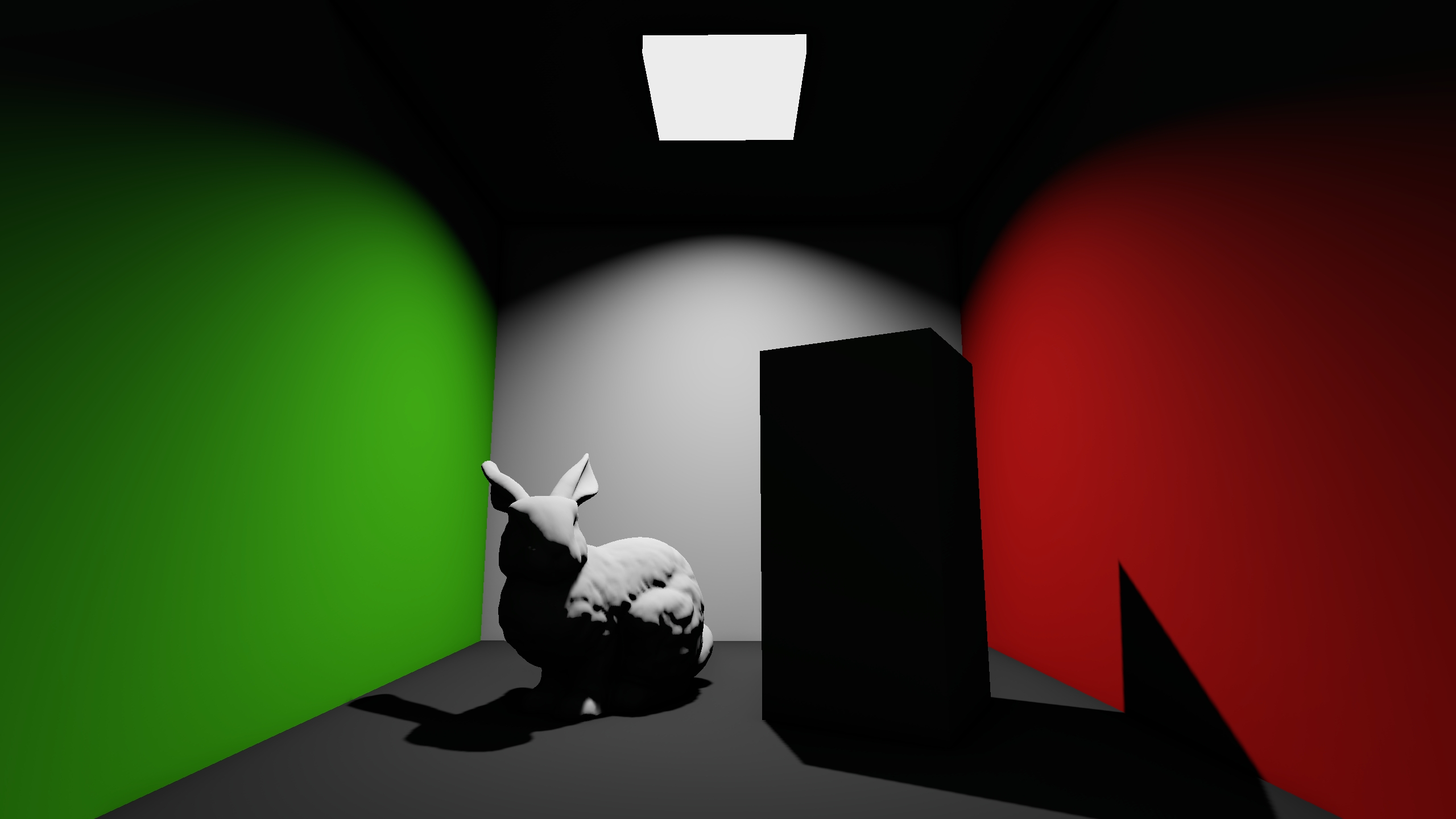
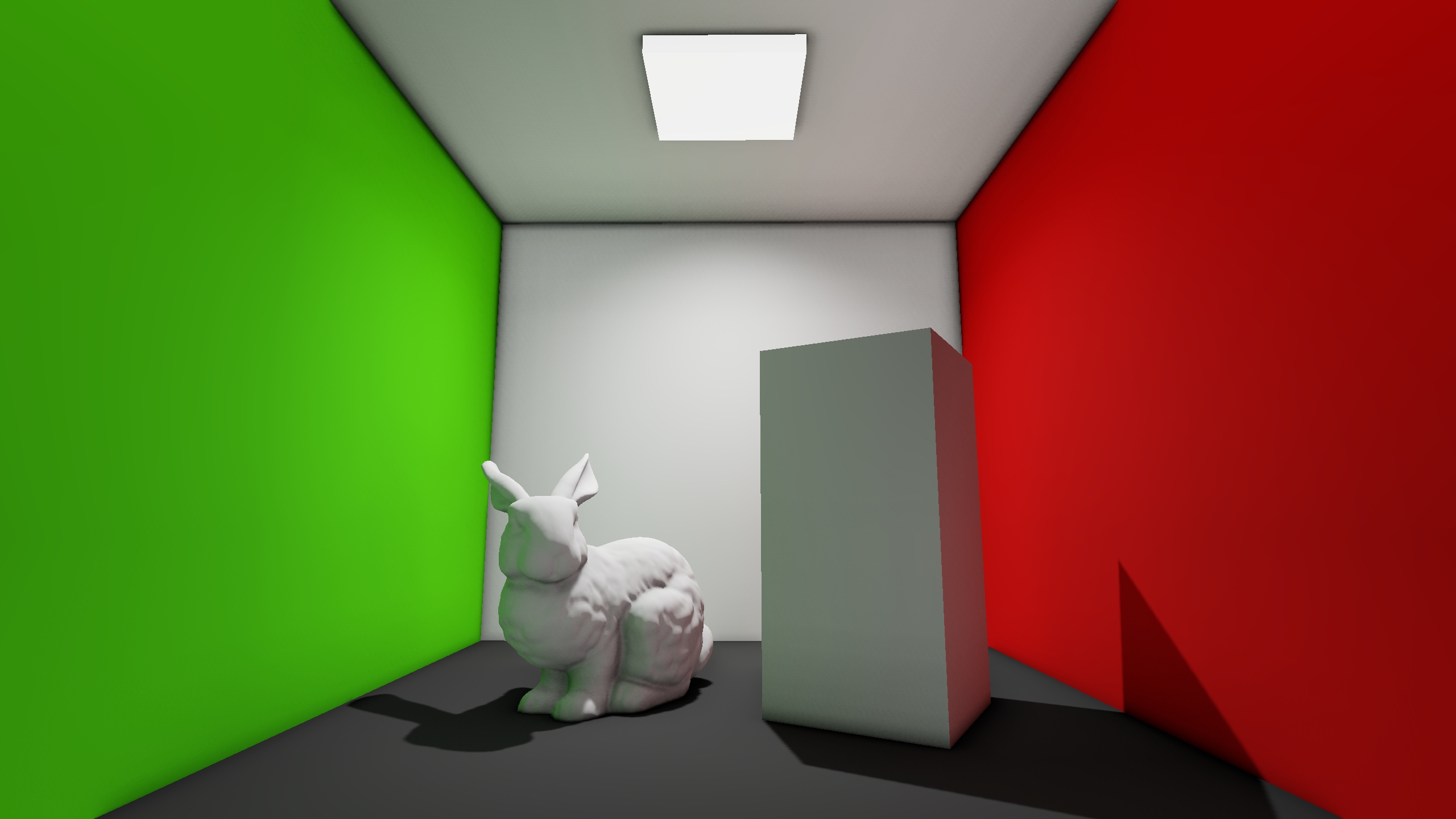
Implementation
Before going deeper into SVOGI, I would like to mention other techniques to calculate global illumination:
- Flat Ambient Lighting: Use a preconfigured color to illuminate the scene. You can think of this as a very sparse approximation, where you find a color that acts as an average of global illumination for the entire scene. In big interiors, it's not a very great fit. However, it may just be sufficient for exteriors when coupled with some ambient occlusion technique such as SSAO.
- Lightmapping: Bake indirect lighting into textures for every static object in the scene. This can provide the most performant and physically realistic results. However, you will lose the ability to freely move objects during runtime because their lighting would not update properly. You will need a way to approximate GI for dynamic objects, such us using Light Probes. But you have to keep in mind that there will be a notable difference in shading between static and dynamic objects, which might be undesirable.
- Light Probes: You can also bake indirect lighting to probes only. This removes the visual difference between static and dynamic objects, at the expense of precise indirect lighting for static surfaces.
- Screen Space Global Illumination (SSGI): What if we want dynamic per-pixel global illumination? We can use a screen space technique called SSGI. It traces rays across the screen using the GBuffer textures to determine collisions. As an object becomes occluded or outside the frustum, its contribution to GI disappears. For this reason, it works best in outdoors environments. Indoors, it can still produce visually pleasing results as long as you don't care much about stability while moving the camera.
- Raytraced Global Illumination (RTGI): This is the holy grail basically. You just raytrace global illumination for every pixel in realtime and obtain physically perfect and stable results. However, it is expensive, very expensive. You will most likely require temporal accumulation, upscaling and even frame generation to run this in realtime. One way to reduce the cost is to use the light probes approach, and use raytracing to update the probes in realtime. That is more performant because there are way less visible probes than pixels on the screen.
Generating the Grid
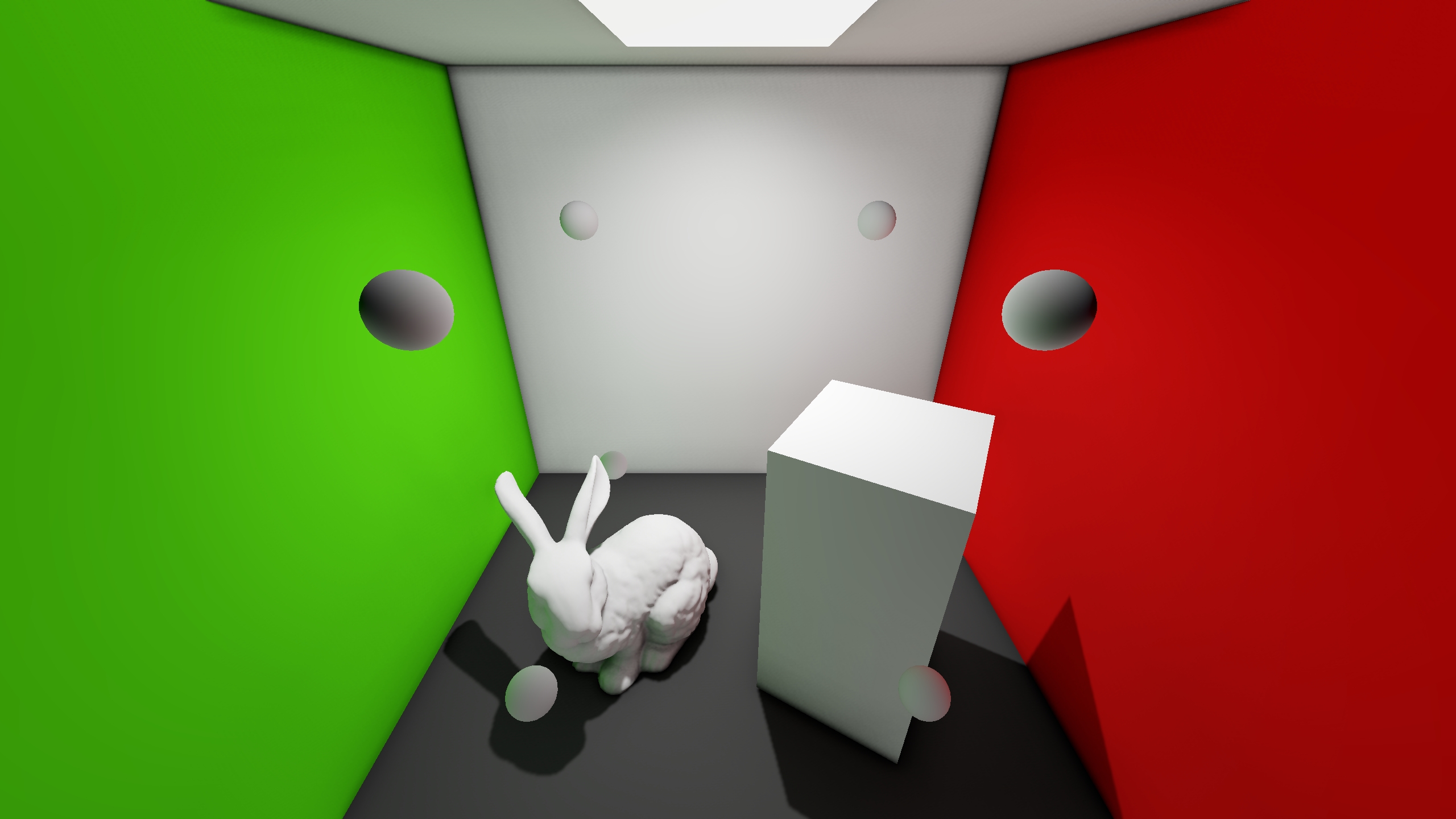
First, we must define an area where GI will be calculated. We can do that using an axis-aligned bounding box (AABB). We must also define a voxel size, which in this case I have set to four units. With these parameters we will create a grid that fits as good as possible the AABB. In this case, a grid of 2x2x2 is sufficient.
Calculating GI
The goal is to update GI for a fixed amount of voxels every frame, so calculating GI for a given point must be really fast. My initial idea was to use raycasting against colliders and use material properties to determine colors. However, what we need is not the color of nearby surfaces, but what color they reflect in a given direction given the actual light sources of the scene. Not only that, we must take into account direct occlusion of light sources too. This is a problem solved in the pipeline, it's just what we already have: A direct lighting only pass. So, instead of performing any work on the CPU, we will render the scene from the voxel's perspective into a cubemap. It is important to note that static surfaces have been marked using a layer and only that layer will be rendered onto the cubemap to prevent dynamic objects from contributing to GI.
Now we can sample how much light the voxel receives for any direction, but how do we store it? In my case, I used spherical harmonics to encode the cubemap into just 9 coefficients per voxel. I won't go into details because that topic alone would deserve an entire article, so instead I recommend you read the following paper: An Efficient Representation for Irradiance Environment Maps .
Once a cubemap is rendered completely, a compute shader samples it in 1024 directions, calculates the coefficients and updates the grid. This means that not work is needed on the CPU side for now.
Any change we do to the scene now will be visible in realtime. In complex scenes with many probes however, changes will require a few seconds to appear. So I added an option to update only the voxels that are visible, i.e., inside the frustum.
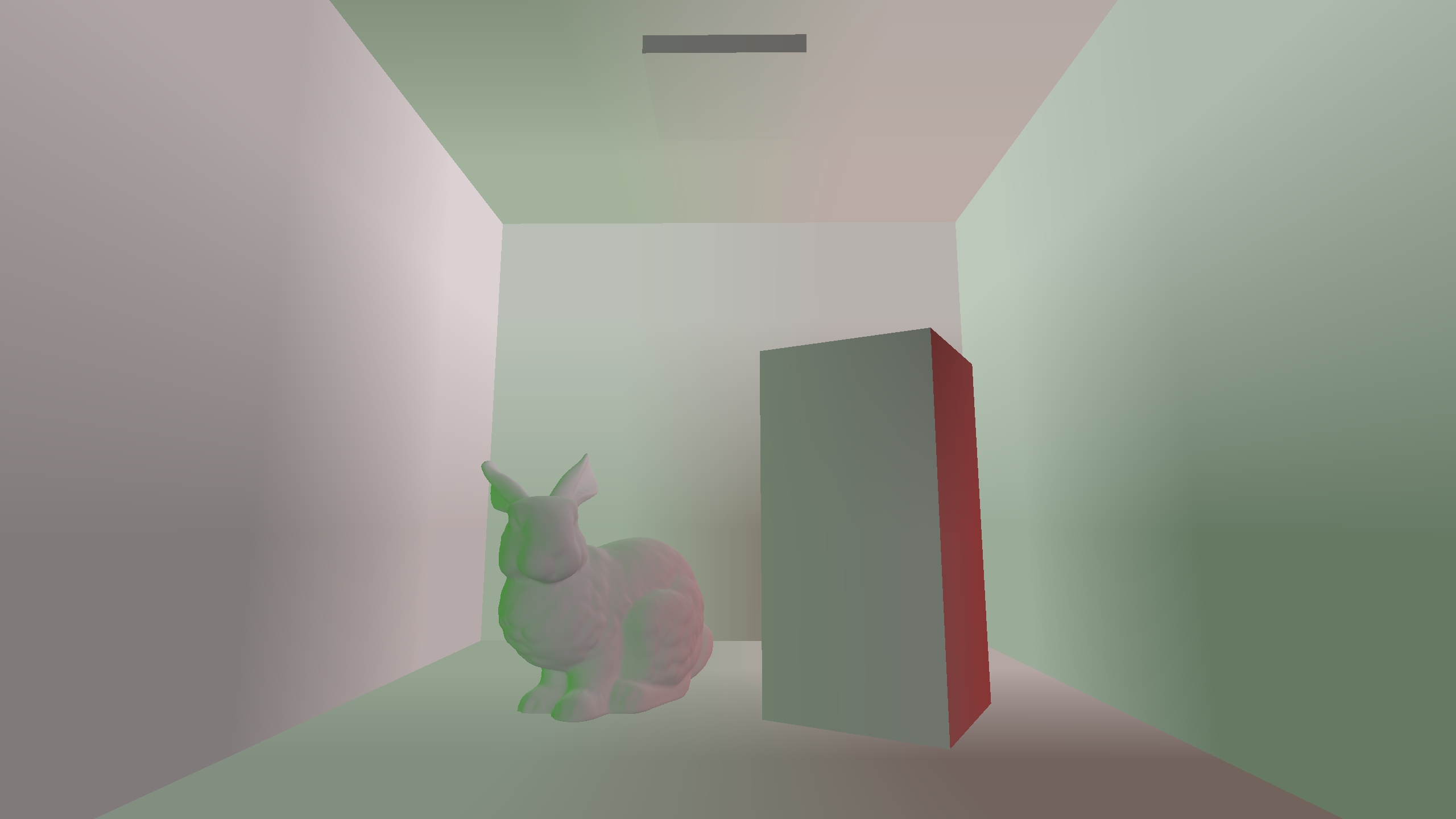
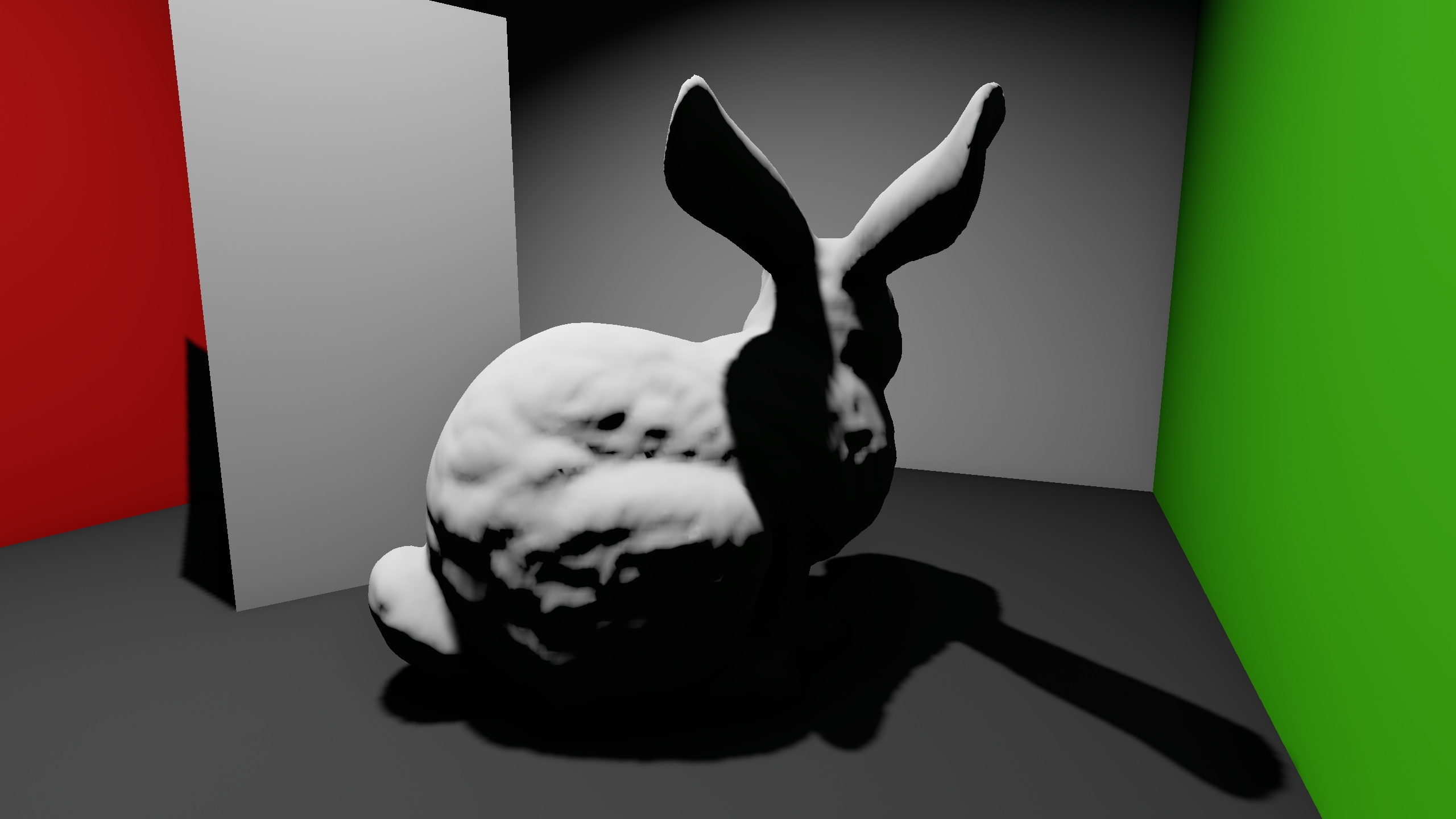
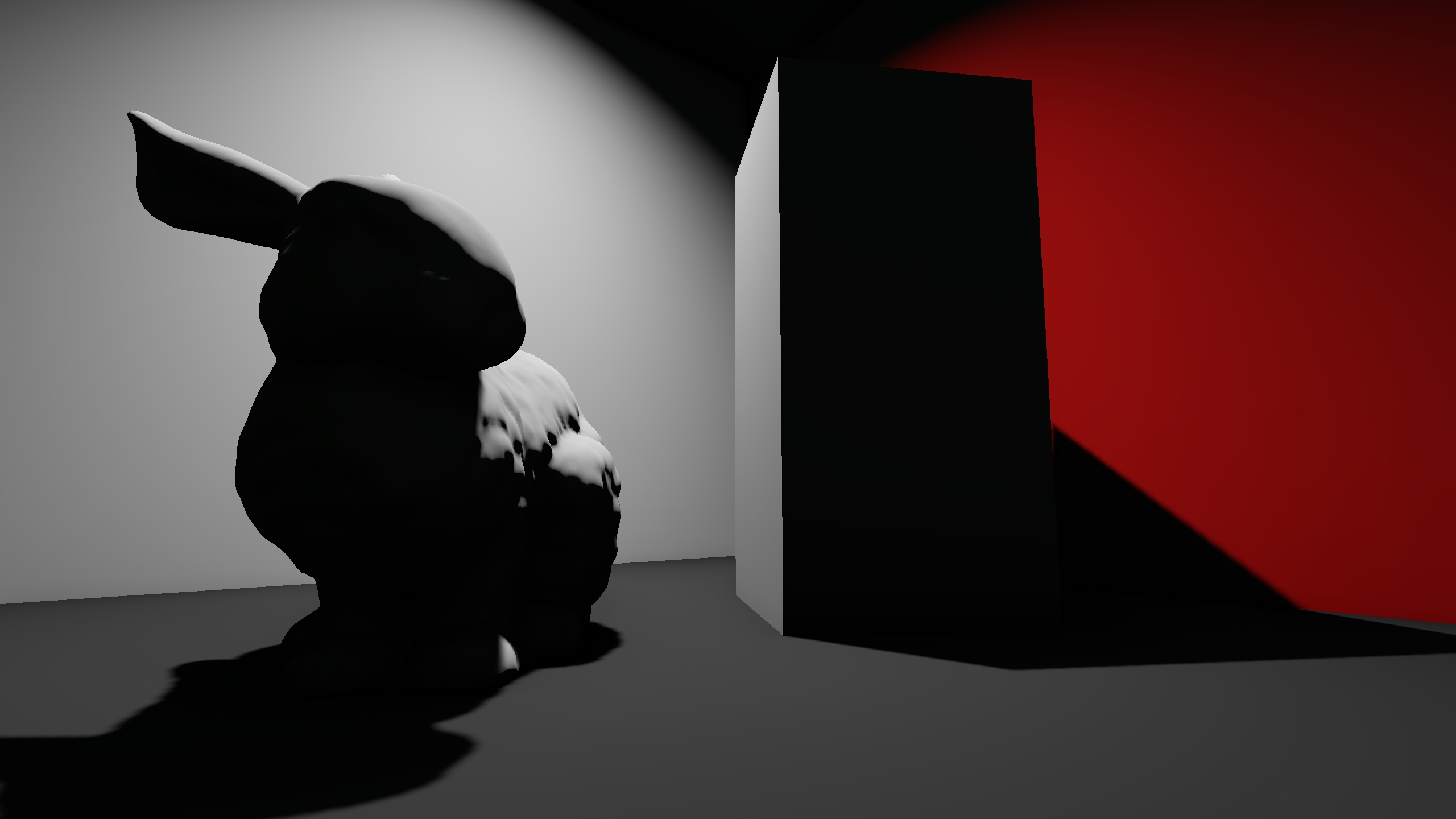
Now we can sample the grid during normal rasterization to determine GI for every pixel. To do so, we will find the closest 8 voxels in world space and average their coefficients. To modulate the weight of each probe, I just use linear interpolation in the exact same way as a 3D texture would be filtered. You can see here the raw output of this operation:
Ambient Occlusion
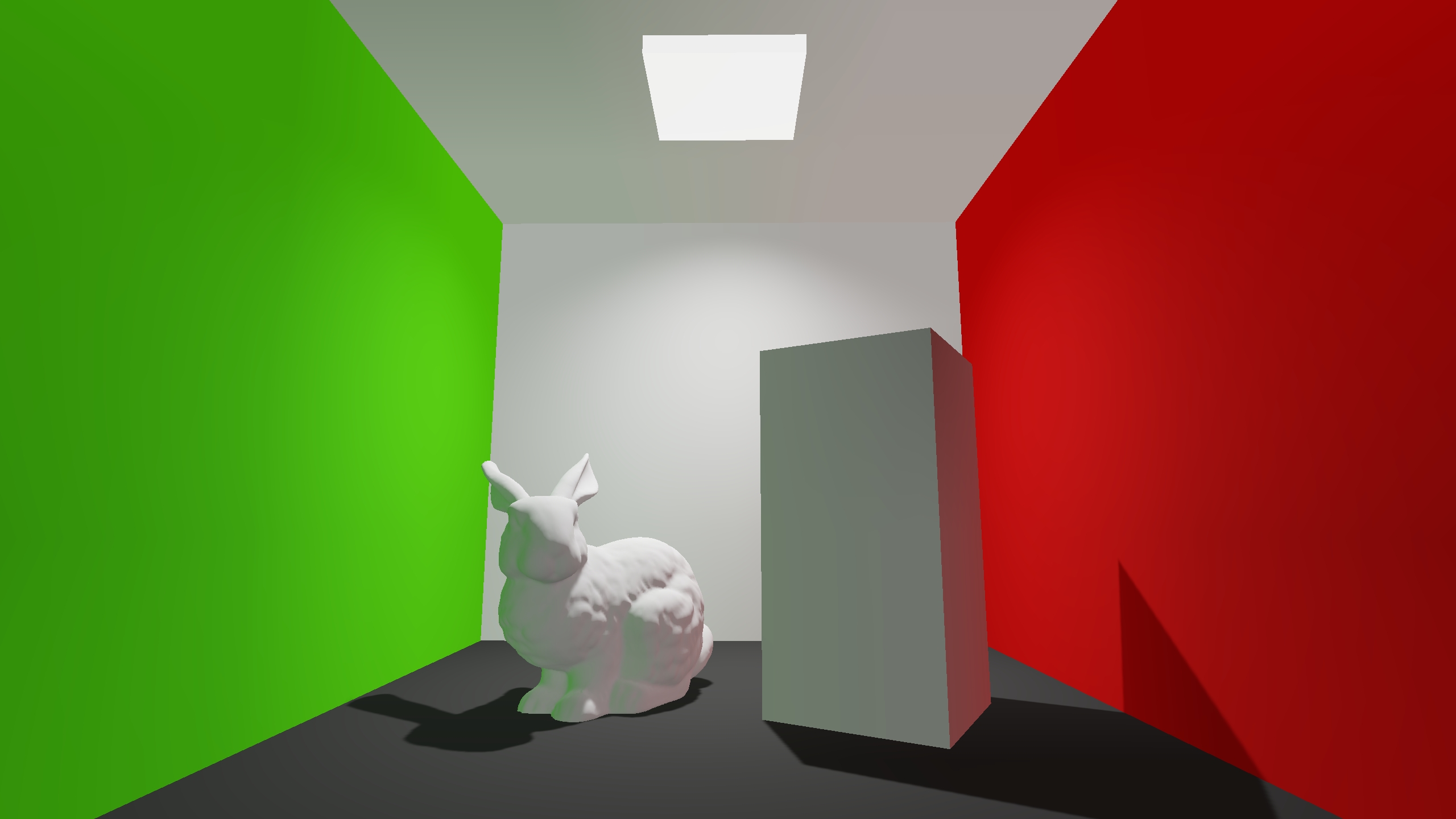
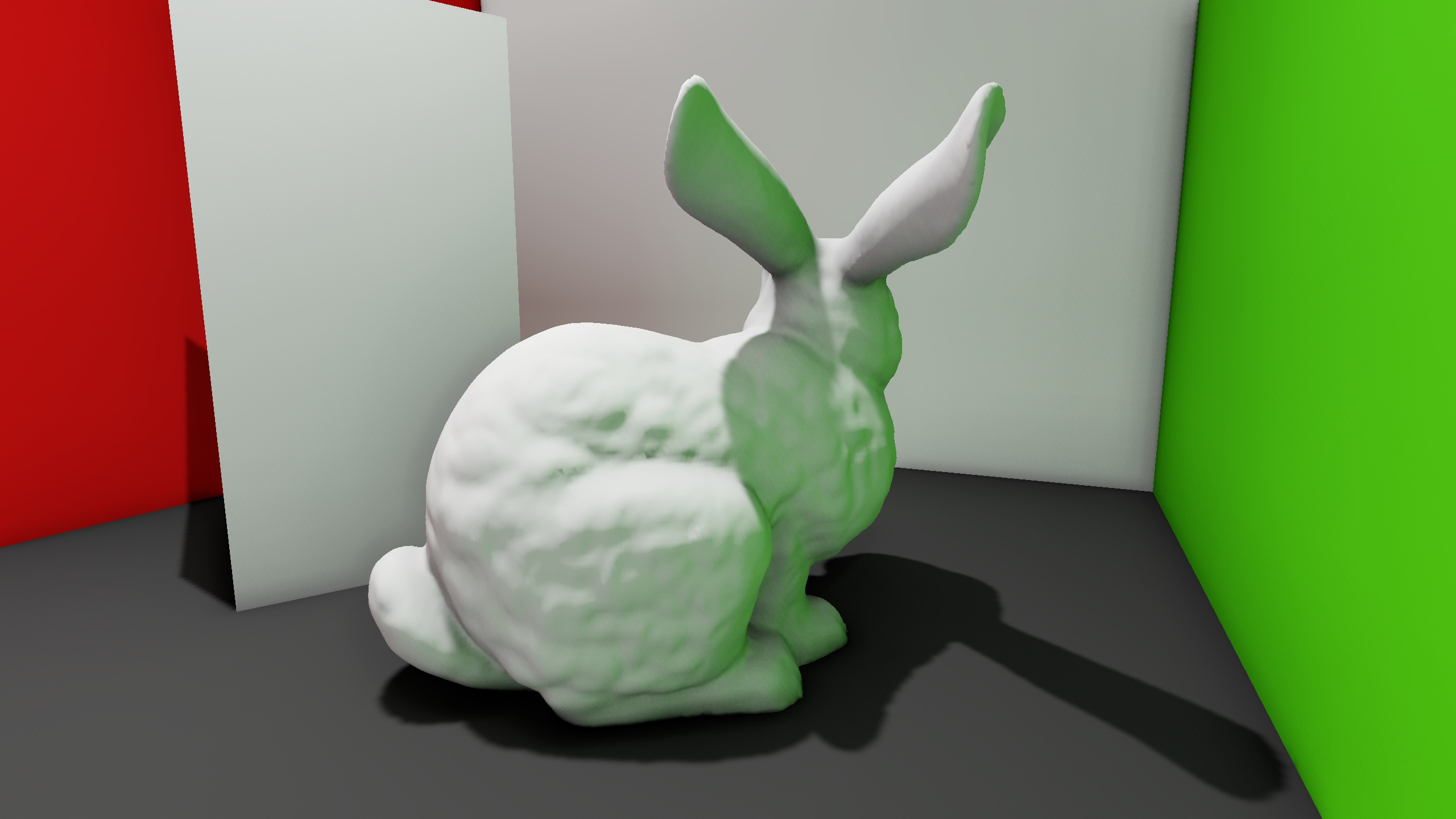
Since the approximation is spatially sparse, it lacks per-pixel detail. One way to approximate it is integrating an ambient occlusion technique that modulates the intensity of SVOGI. For example, SSAO is a good fit:
Solving Probe Occlusion
One of the caveats of this technique is probe occlusion. What if a voxel's center is inside geometry or behind walls? To solve this, ideally we will move the rendering point (probe) to a valid location. Again, my initial idea was to use raycasts, but that poses a lot of problems:
- Scene geometry does not have perfect mesh colliders because they are not needed for gameplay purposes.
- Even if we created mesh colliders for this purpose, they would need to be updated constantly as the user moves objects around.
- Performing a significant amount of raycasts against a large amount of mesh colliders is very inefficient and could slow down the editor.
Fortunately, we don't need to perform any raycast on the CPU, because we have already calculated all we need. By rendering a cubemap with its associated depth buffer, the GPU has already provided us the closest point in any direction. Additionally, since we want to detect backfaces to determine occlusion, I just wrote the triangle's facing value into the alpha channel of the color buffer.
With this information, we can run a compute shader that generates a set of hit points. I do this after rendering each cubemap face, filling a hit points buffer progressively until the entire cubemap is rendered. In practice, 8x8 hit points for each face was sufficient. We must also discard hit points that are far from the voxel, and those that come from double-sided triangles.
Finally, we pass the hit points back to the CPU and perform a search for the closest hit point. In practice, I noticed that the closest hit is not always the best candidate. So instead, after finding the closest hit, I gather all the hits with a similar direction (< 30 degrees), average those directions and find the hit point that best resembles the average. This is done to prevent a probe from being placed on corners. If a probe is above a wall and has some valid hits below it, it won't be placed in the corner between the wall and the ceiling, which is the closest point. Instead, it sees the many hits along the wall, and moves towards the center of those hits. If the probe is moved, it is rendered again in the following frames without collision detection.
You can see all this in action in the following video:
Results
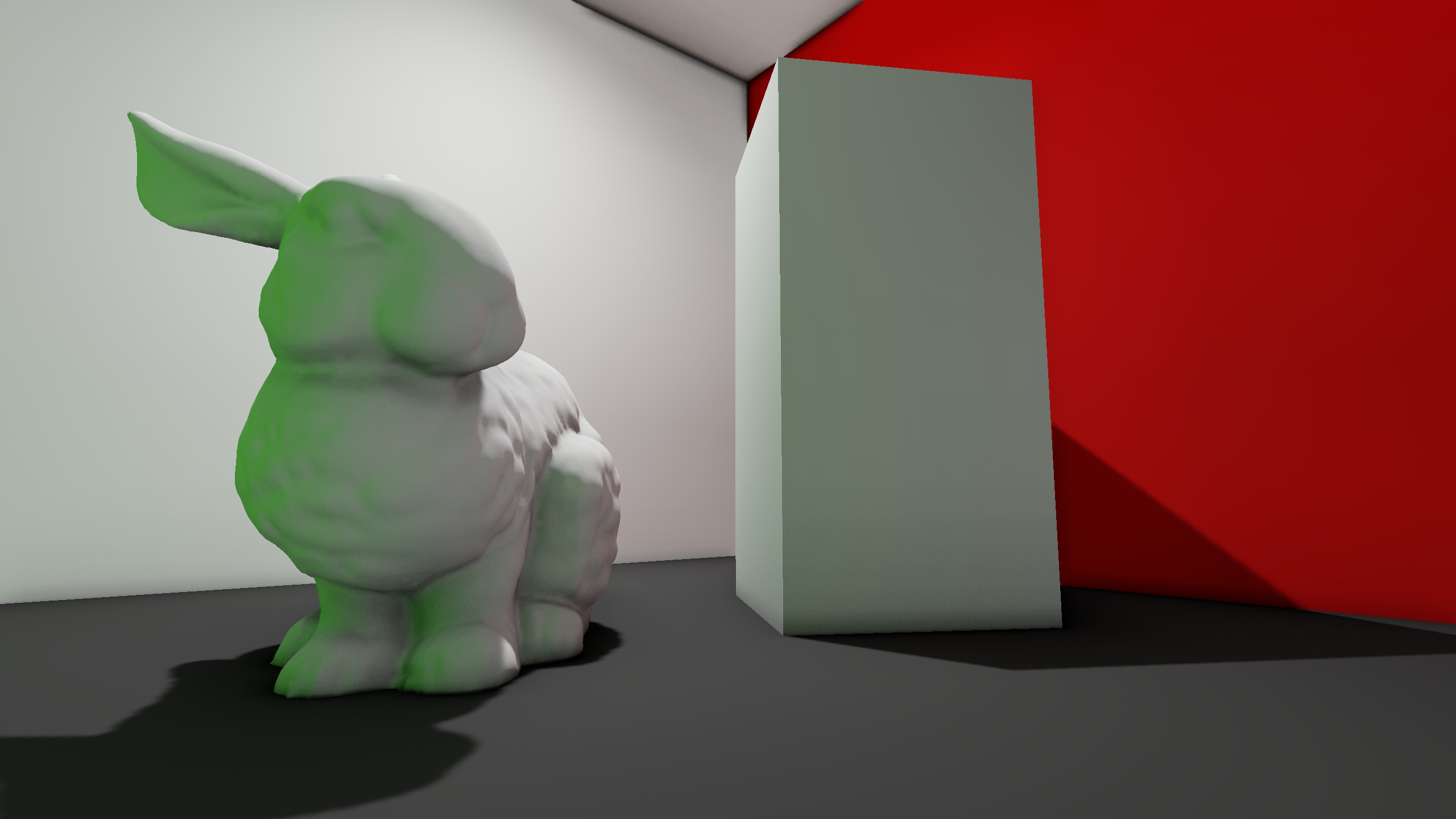
Conclusions
SVOGI is a performant GI solution that covers most cases greatly. Although it lacks per-pixel detail, it can be faked using ambient occlusion and offers a stable non-view dependant global approximate. It is a great match for dynamic objects as well, as indirect lighting is calculated all throughout the playable space, even where there are no static surfaces. Since GI is sampled identically for both static and dynamic objects, there isn't a notable difference in quality between them, leading to better integrated dynamic meshes.
Treating cubemap rasterization as a raytracer to determine closest hits in the environment has proven performant while using the editor, as almost no work is performed in the CPU besides probe displacement due to occlusion.
In our case, we are using very large voxels, (8-10 units) and that provides a very pleasing result. Not only that, but it requires almost no memory. For example, in a real environment with a grid of size 18x4x13, the entire grid only occupies 98Kb.
Going Forward
This system is still in its infancy, and I have planned different ways to upgrade it in the future:
- Move probe occlusion to the GPU entirely: Currently, the compute shader gathers the hit points and the CPU performs the search for the best candidate. However, that search could be moved to the GPU to speed up the process even more.
- Main indirect lighting direction: I plan to add another three values to voxels that store the main direction in which indirect lighting comes from. This can be used to add specularity to reflective surfaces even when they are shadowed.
- Raytracing: Although cubemap rendering is fast enough to update the probes in realtime, it takes seconds or even minutes to update big grids entirely. Using raytracing, I suspect we could update a much larger amount of voxels every frame, leading to an almost instant feedback of lighting changes while working.