Soft Shadows
September 7th, 2025
Unreleased Project
Motivation
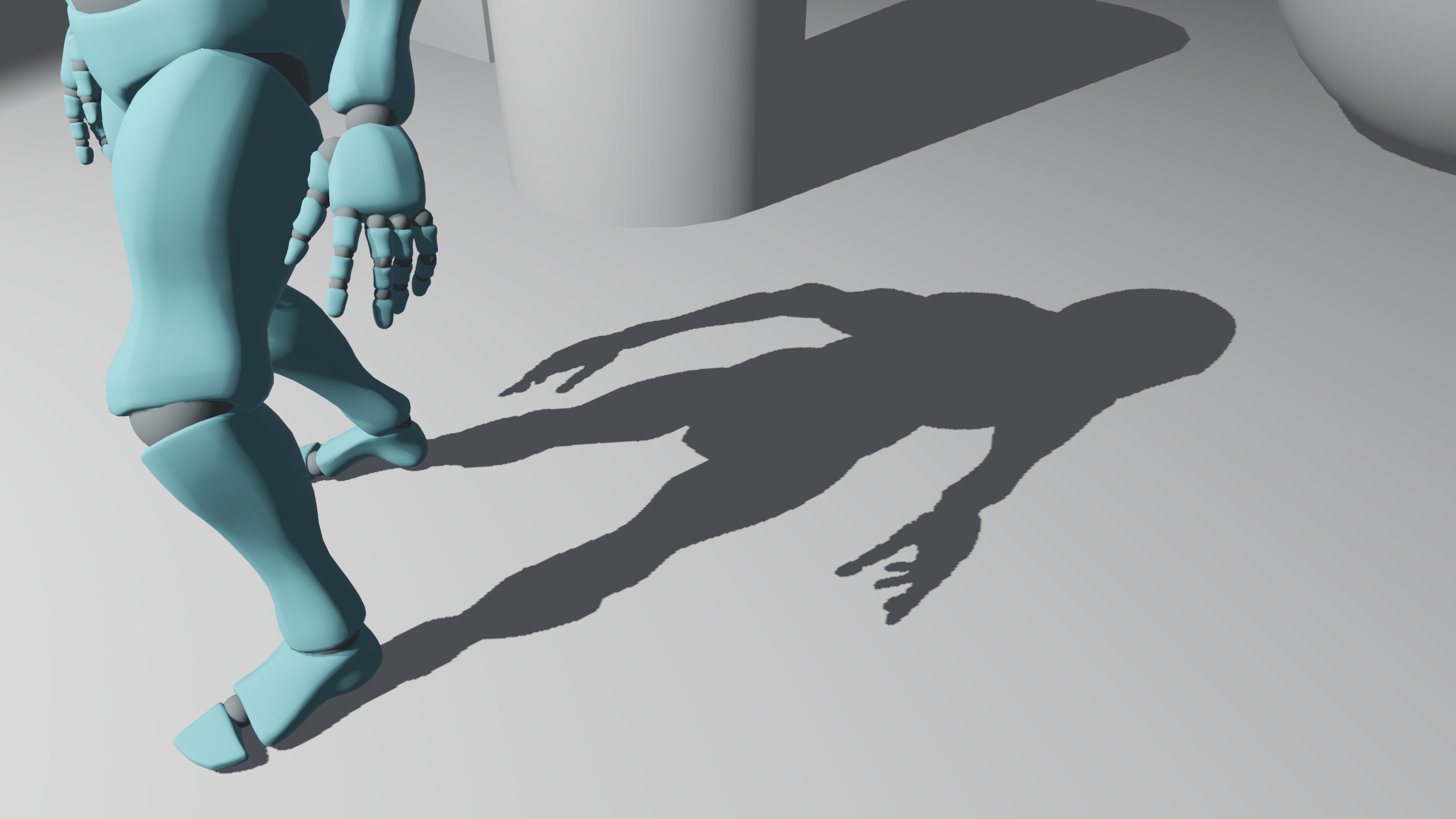
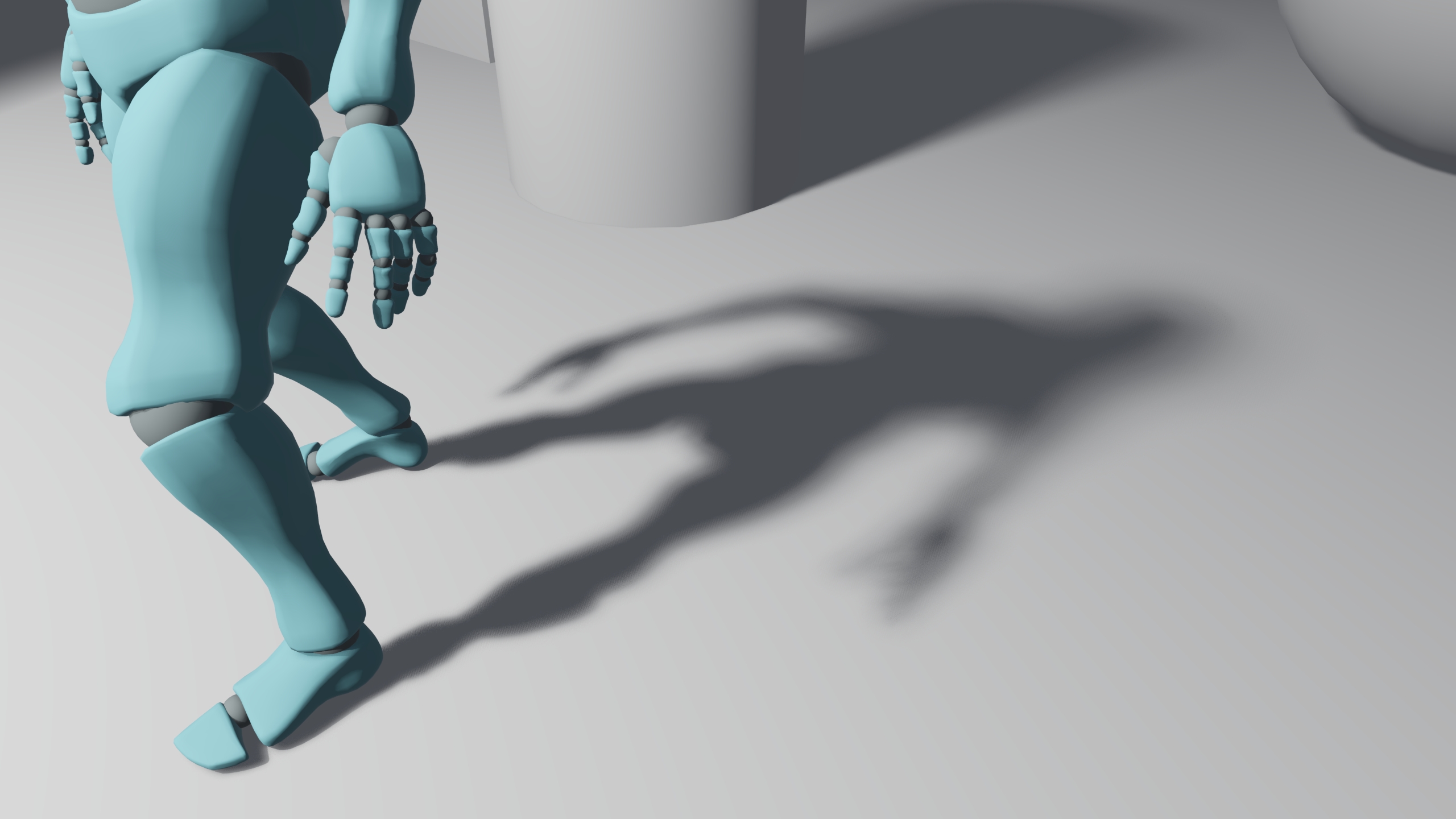
In the never-ending quest for compelling lighting in video games, I recently delved into rendering soft shadows. Hard shadows are actually rare in real life, since they are only visible when the light source is very small compared to the occluder. However, in video games we usually treat lights as point lights that lack any surface area, but that often isn't what we want to represent artistically. In this article, I will explain how I solved this problem and offered artistic-driven parameters to my team.
Implementation
By default, Unity URP renders soft shadows using Percentage Closer Filtering (PCF). While it hides aliased edges and provides more pleasant results than hard shadows, softness can't be configured. Therefore, light area can't be configured or represented. Another way of rendering soft shadows is using Percentage Closer Soft Shadows (PCSS). In that technique, a sampling step is performed before filtering the shadow map to identify the average distance to the occluder and adjust the sampling pattern radius for filtering. You can read more on it here.
My implementation follows a similar structure to the one used in PCSS:
- Create a distribution of texture offsets: In our case, we have used a Poisson distribution of 24 points. This distribution is rotated per pixel and per frame using Interleaved Gradient Noise.
- Find the average occluder distance: Using the maximum softness radius, iterate through the Poisson distribution and average depths. In practice, I found out that using only 12 points is sufficient, so I just iterated the array of points using i+=2 instead of i++, which greatly improves performance.
- Filter the shadow map: Given the occluder distance and light softness parameters, calculate the sampling radius and iterate through the Poisson distribution using PCF sampling to average the output.
- Temporally stabilize the output: By treating direct shadows as a stochastic effect, it is possible to completely denoise the shadows. Samples per pixel must still be generous to avoid ghosting.
        static float2 _PoissonDiskShadows[24] =
        {
            float2(-0.07733, -0.67920),
            float2(-0.71161, -0.26784),
            float2(-0.52051, -0.11176),
            float2(-0.26109, 0.01776),
            float2(-0.03004, -0.34879),
            float2(-0.48658, 0.50171),
            float2(-0.74085, 0.37335),
            float2(-0.05425, 0.04487),
            float2(-0.52625, 0.12483),
            float2(-0.18583, -0.17481),
            float2(0.33716, 0.18172),
            float2(-0.10199, 0.57954),
            float2(0.53478, 0.66744),
            float2(0.66503, 0.44478),
            float2(0.41769, 0.44275),
            float2(0.08899, 0.35702),
            float2(0.38512, -0.56217),
            float2(0.47295, -0.72390),
            float2(0.16913, -0.18960),
            float2(0.15327, -0.04767),
            float2(-0.57868, 0.81125),
            float2(0.37330, 0.78119),
            float2(0.86544, -0.01258),
            float2(0.18936, -0.95787),
        };
Dealing with aliasing
This would provide perfect smooth shadows if occlusion was a nice contiguous analytical function. However, it is a numerical representation stored in a texture. Even using high resolution shadow maps, there are cases where we will want to represent shadows with such hardness that the sampling area will only cover very few pixels, or even less than one pixel.
This is especially troublesome in shadows near occluders when the shadow maps are set to a low resolution. So, instead of trying to represent a level of fidelity that simply is not present in the shadow map, I decided to clamp the sampling radius so that its minimum area covers at least 3x3 pixels. That way, hardness may be lost in some cases in exchange for softer shadows, but that is still preferable compared to aliased edges near occluders.
Besides, screen space shadows can be introduced to recover hardness and detail near occluders, but I'll cover that in a future article.
Cascaded shadow maps
In the case of directional lights, we are currently using cascaded shadow maps. Before, we used PCF filtering with varying radius depending only on shadow quality (3x3, 5x5, etc). However, that made transitions between different cascades very apparent, because their perceived softness varied substantially, especially when using low resolution shadow maps.
Using the new soft shadows implementation, that problem is mostly solved, because the softness radius in world space units does not depend on shadow map resolution anymore. Some differences can still be appreciated between cascades of course, as details are lost in further cascades, but that is a separate problem.
Parametrization
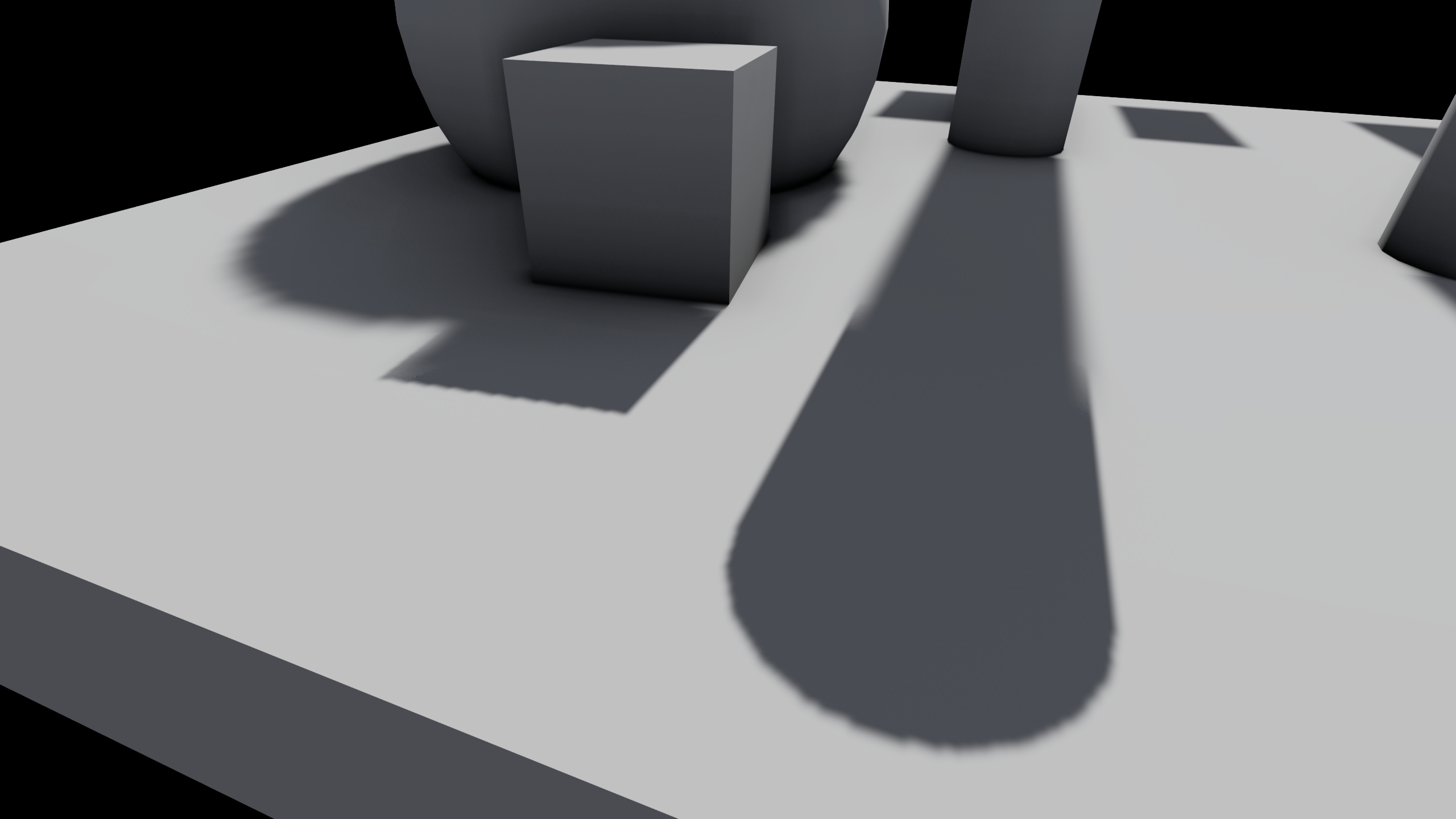
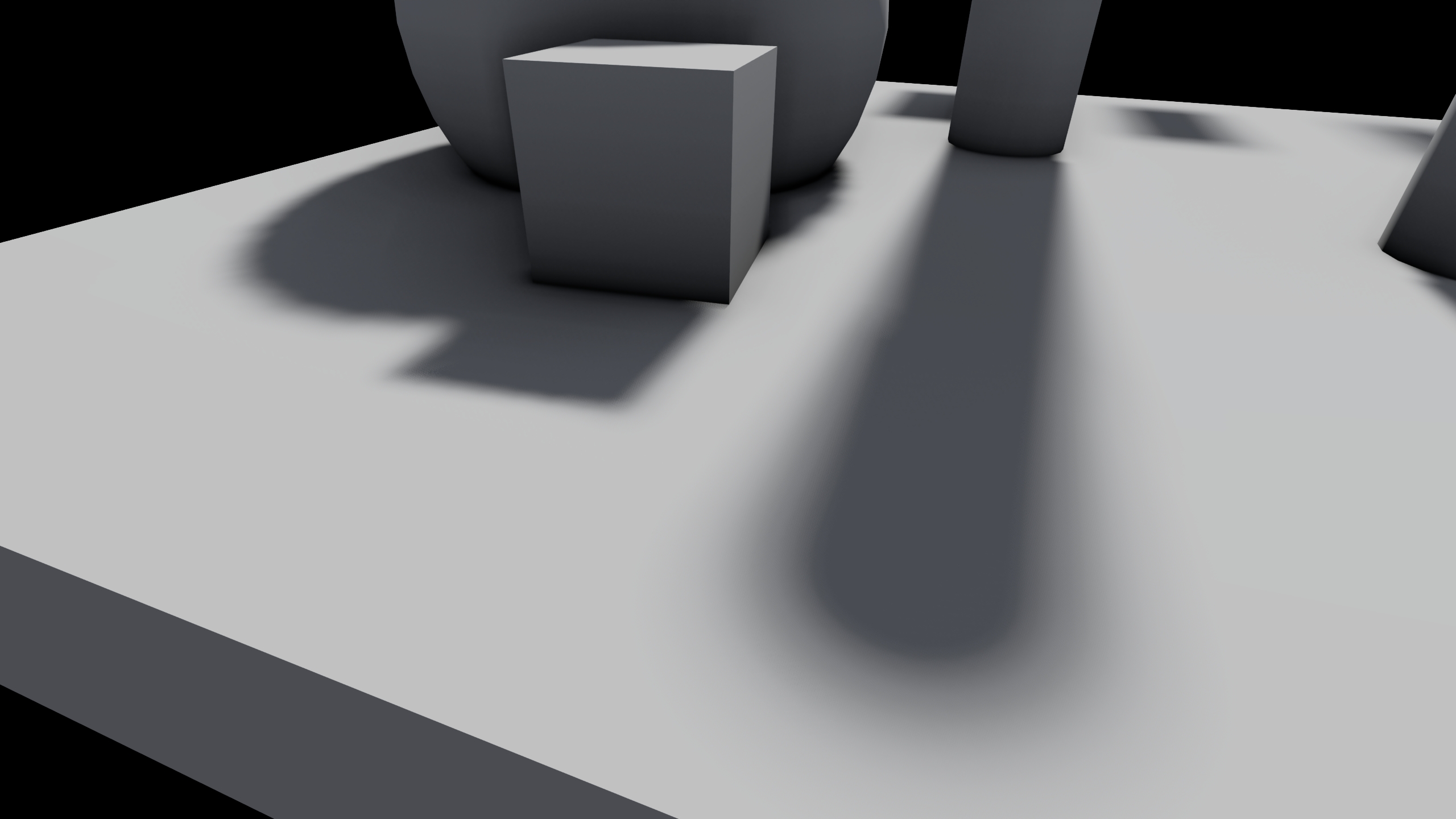
Softness is parametrized per light:
- Softness Range: The minimum and maximum softness radius expressed in world units.
- Distance Range: The distance range in which softness goes from minimum to maximum softness in world units.
This is not physically based at all, but offers very intuitive controls and results.
Results
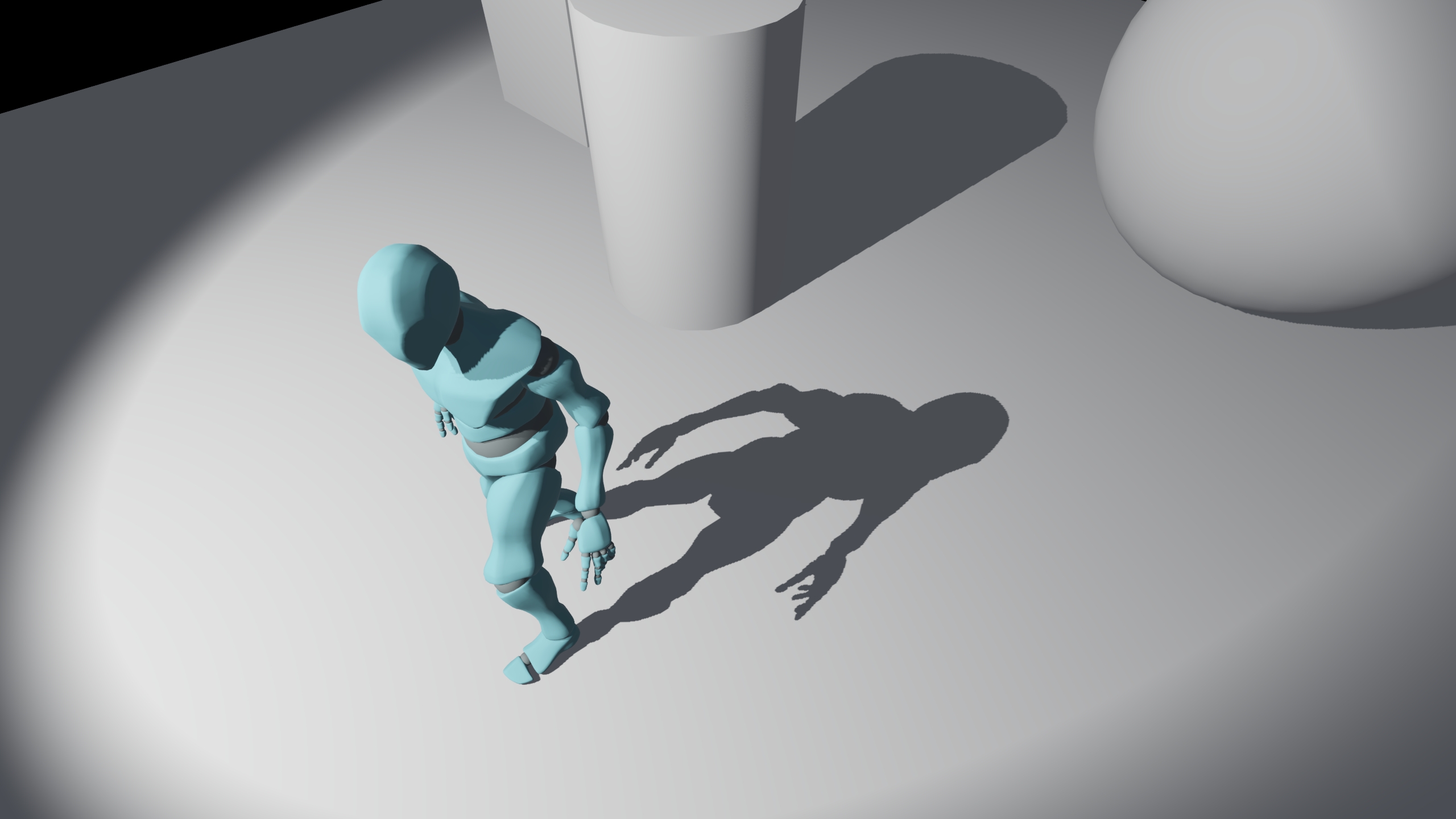
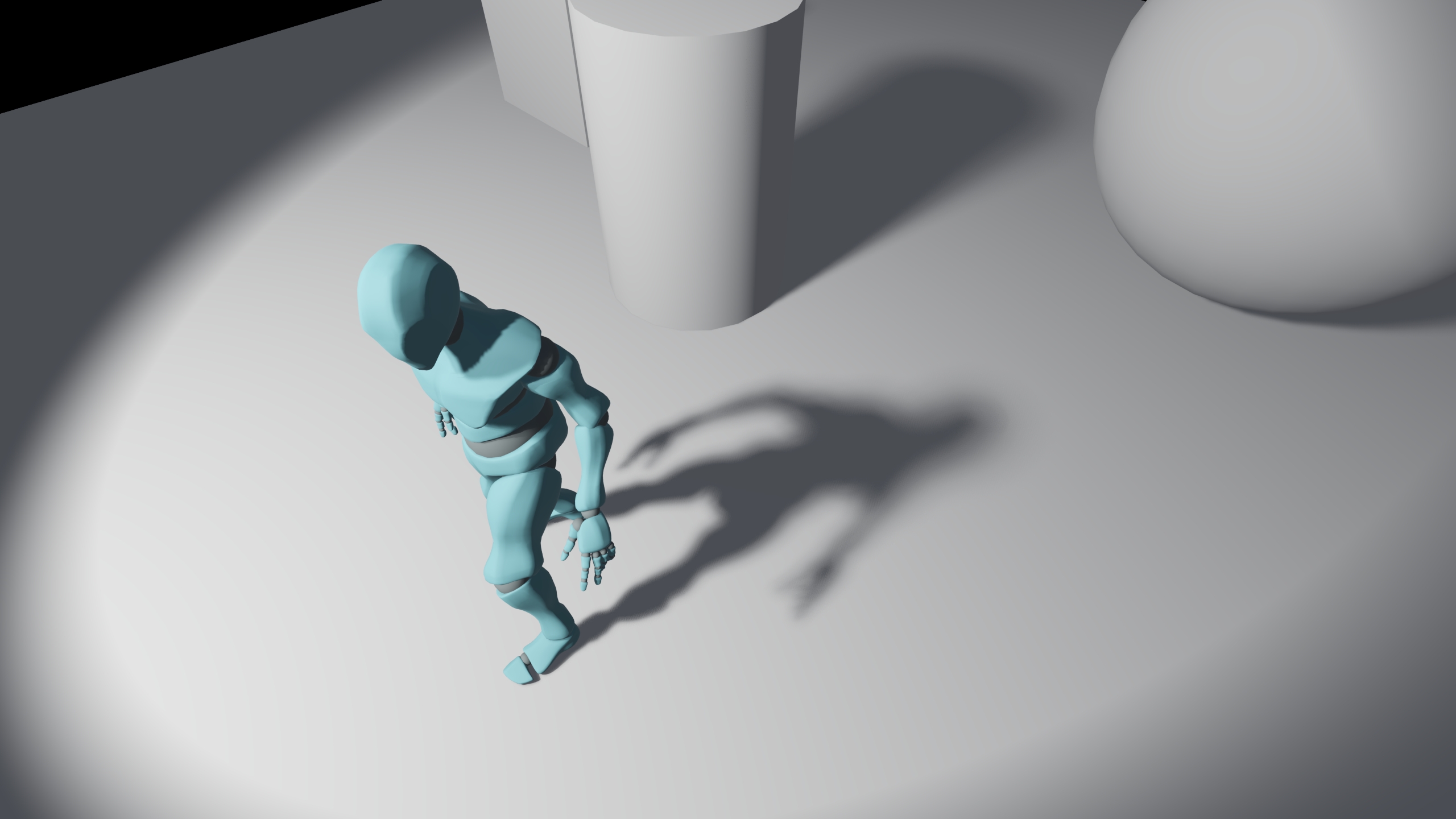
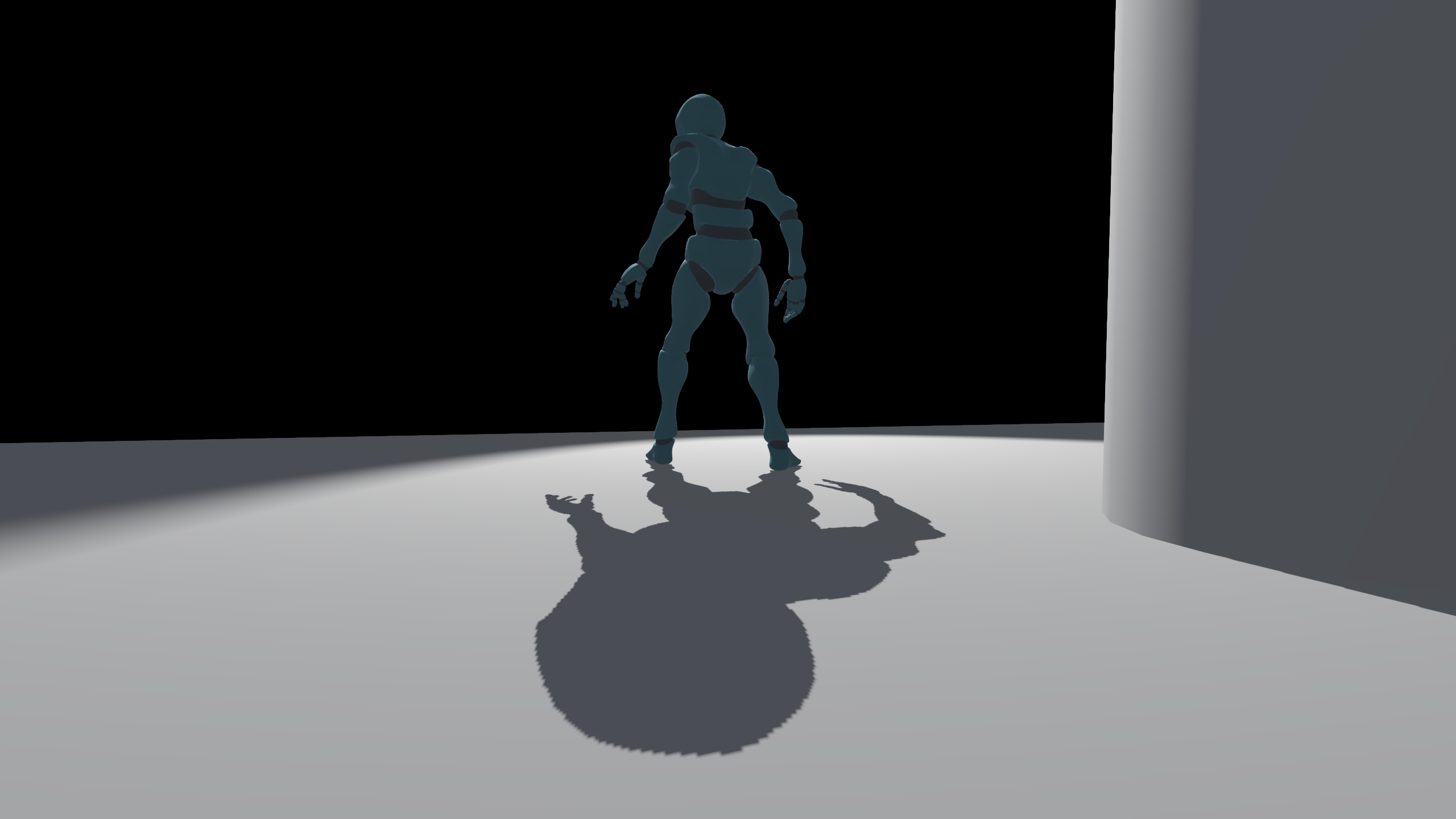
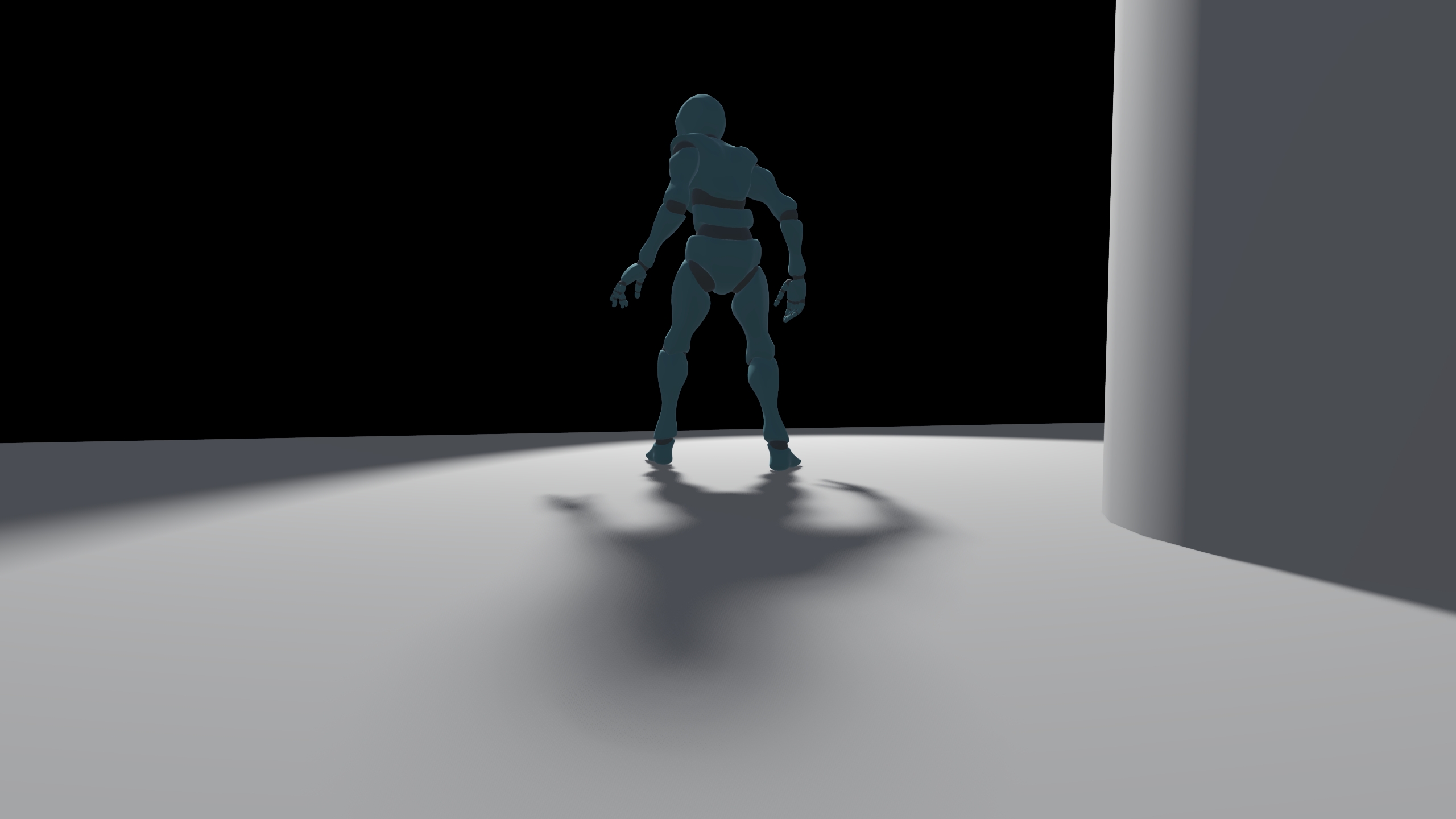
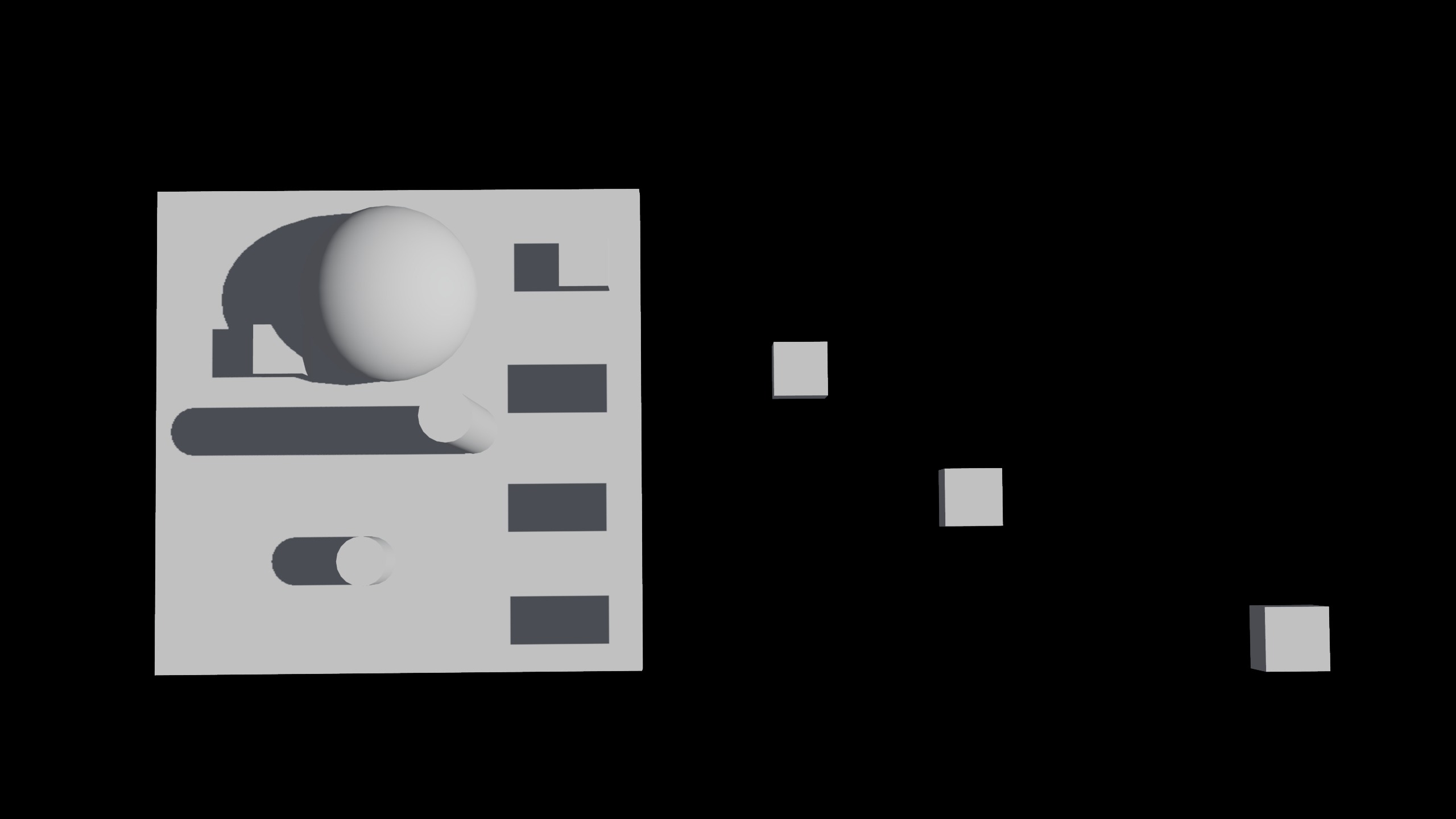
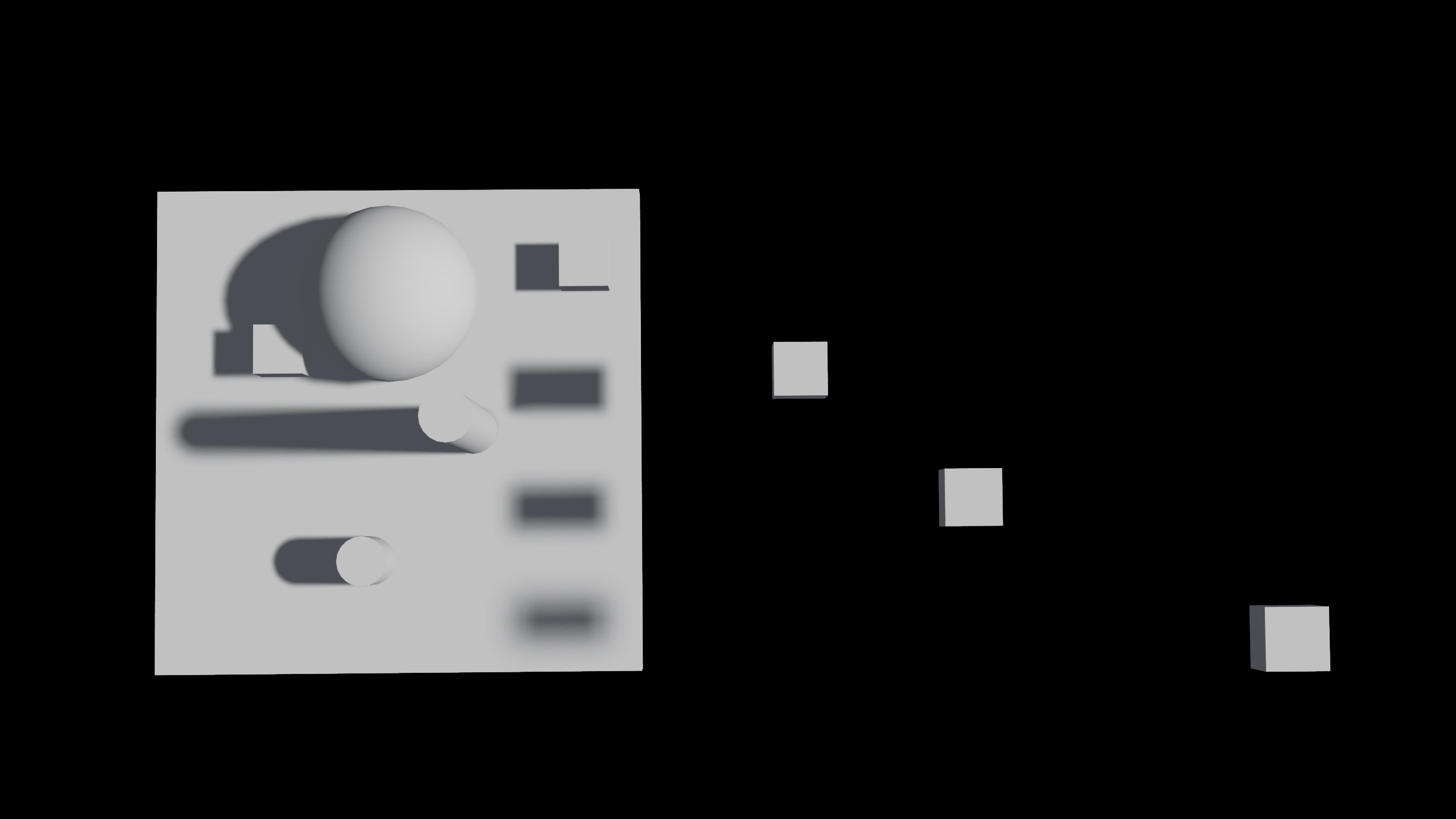
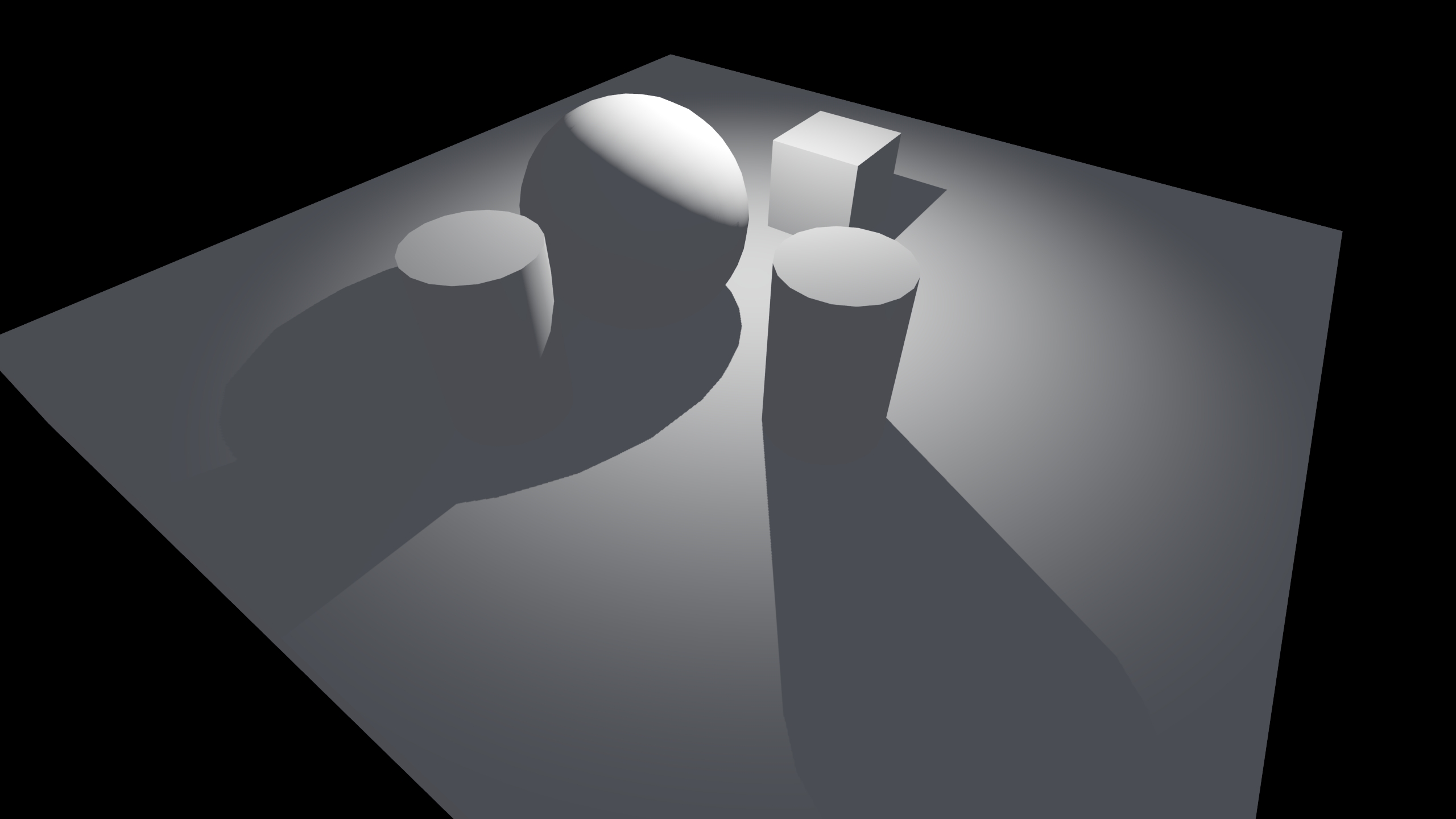
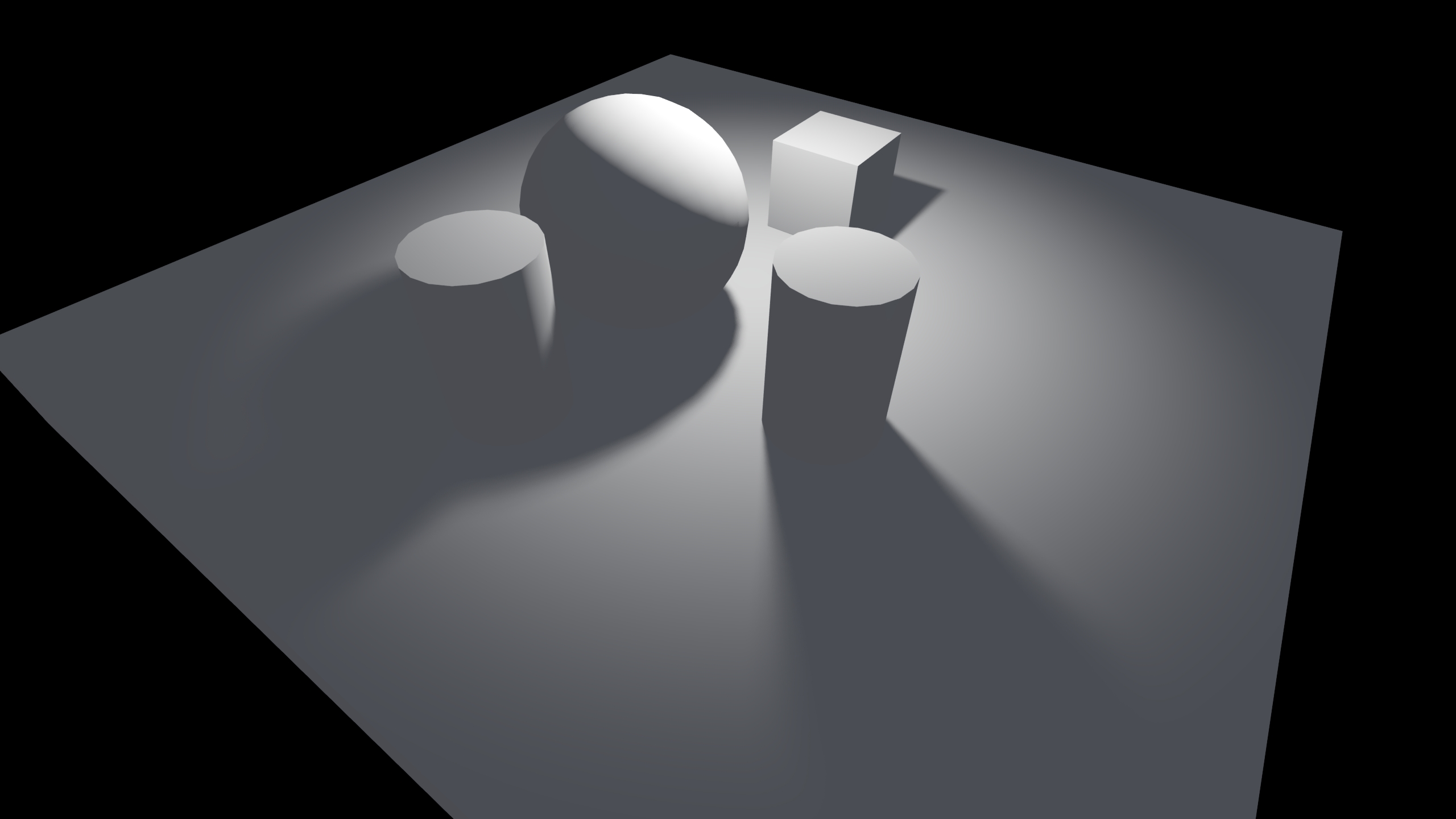
Conclusion
This implementation not only offers the capacity to render soft shadows, but also to scale softness as the occluder-occludee distance grows. The exposed parameters for each light are highly intuitive for artists and have been well received by the team.
It must be said that rendering shadows like this is more expensive than doing traditional PCF filtering, because more samples are required and their distribution cause more cache misses. However, the improved fidelity and realism are worth it in my opinion. It is not only about hiding aliased edges in shadows or achieving more realistic graphics, these shadows also provide a sense of scale and better visual cues to easily understand the 3D environment.
Going Forward
We currently support directional, point and spot lights with shadows. In the future, I would like to add support for other light shapes such as rectangle area lights. It will be interesting to see how this approach to soft shadows fares in those scenarios, with lights that cover larger areas.
Additionally, it would be interesting to implement spatial denoising. Without it, we need a high amount of samples per pixel to prevent ghosting in the TAA pass. Using a compute shader could allow us to calculate shadows for every light and applying spatial denoising in a single compute pass. Potentially, that would allow us to use less samples per pixel, reduce ghosting and improve overall performance. But for now, what's been achieved is already quite good both visually and performance-wise.